Illinois SOS Business Search: Easy & Powerful Business Lookup Guide
Source:https://lastmagazinepro.com/
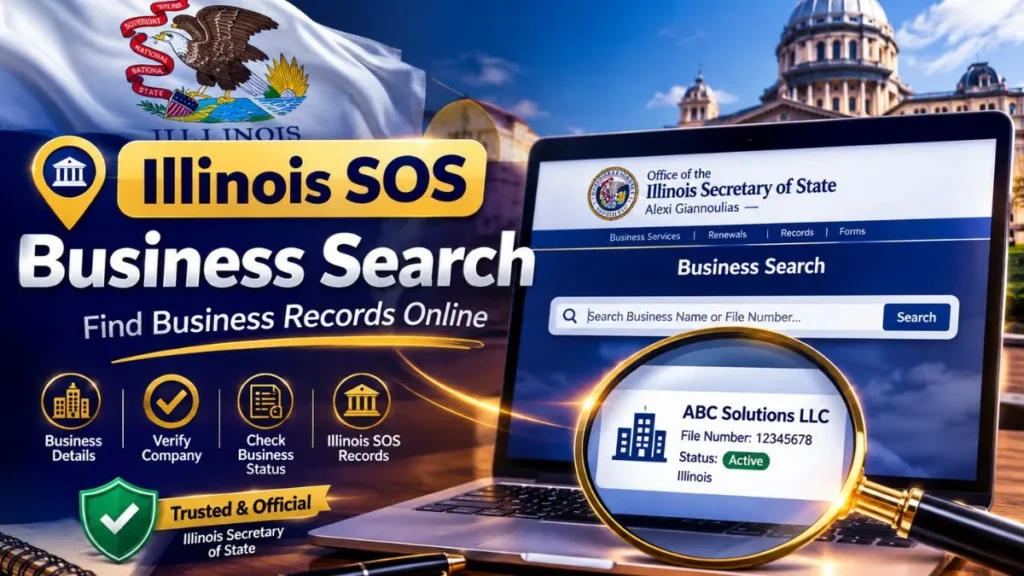
If you’ve ever needed to confirm that an Illinois company is actually registered, check whether an LLC is still active, or just make sure you’re dealing with a legitimate business before signing a contract, you’ve probably run into the term Illinois SOS Business Search. It’s the tool the Illinois Secretary of State provides for looking up registered business entities in the state and it’s usually the fastest way to get a straight answer.
This guide walks through what the search actually shows you, how to use it effectively, and how to avoid the small mistakes that lead people to “no results found” when the business is right there in the system.
What Is Illinois SOS Business Search?
Illinois SOS Business Search is the lookup service maintained by the Illinois Secretary of State’s office for finding business entities registered in the state LLCs, corporations, nonprofits, and other formal business structures. Think of it as the state’s public record of “who’s officially registered to do business here.”
People use it for a mix of reasons: verifying a vendor before signing a contract, checking on a competitor, confirming their own filing went through, or doing basic due diligence before a partnership or purchase. Because the data comes directly from the state, it’s generally treated as the most reliable source for confirming an entity’s legal status more so than a business directory or a Google listing, which can lag behind or simply be wrong.
What Information Can You Find?
A typical search result gives you a snapshot of the entity’s official record, including:
- Business or entity name (and any name variations on file)
- Entity type LLC, corporation, nonprofit, etc.
- Current status (active, dissolved, and so on)
- File or registration number
- Formation or registration date
- Registered agent information, where publicly listed
- Business address on file, if available
Not every field is populated for every entity, and older records sometimes have gaps but for most active businesses, this is enough to confirm the basics.
How to Perform an Illinois SOS Business Search
The process itself is straightforward:
1. Access the official Illinois business search resource. Go directly to the Secretary of State’s business search page rather than a third-party site claiming to mirror it.
2. Enter the business or entity name. Type in the name as closely as you know it. You don’t need to nail the exact legal name to get started.
3. Review matching results. The search will usually return more than one result if the name is common or shares words with other businesses.
4. Select the relevant business. Match on details you already know city, entity type, or approximate registration date to pick the right record.
5. Check the available entity information. Open the record and review status, type, and filing details before relying on it.
How to Search for an Illinois LLC
Searching for an LLC works the same way as any other entity search, but a couple of habits make it more reliable. If you know the exact legal name including whether it ends in “LLC” or “L.L.C.” start there. If that returns nothing, drop the suffix and search just the core business name; Illinois records sometimes format the ending differently than you’d expect.
When you get several matches, don’t assume the first one is correct. Compare formation dates, registered addresses, or entity numbers if you have any of that information, especially in cases where multiple LLCs share a similar or generic name (this happens constantly with names built around common words).
How to Search for an Illinois Corporation
Corporation searches follow the same logic. Enter the name, review the list of matches, and open the record that fits. Because corporations in Illinois can include close variations “Inc.,” “Incorporated,” or no suffix at all in the filed name it’s worth trying the search both with and without the corporate suffix if your first attempt comes up short.
Once you’re in the right record, check the status field first. A corporation search is often really a status check in disguise: people want to know if the company is still in good standing before they do business with it.
Illinois Business Entity Status Explained
Status codes can be confusing if you haven’t seen them before. Here’s what the common ones generally mean:
- Active the entity is currently in good standing and authorized to operate.
- Inactive the entity is not currently in active status; this can happen for several administrative reasons.
- Dissolved the entity has been formally closed and no longer legally exists.
- Revoked the state has revoked the entity’s authority to operate, often due to failure to file required reports or pay fees.
- Other statuses you may occasionally see terms like “involuntary dissolution” or “administratively dissolved,” which point to specific state actions rather than a voluntary closure.
If you’re relying on a business’s status for a real decision a contract, an investment, a partnership treat the online status as a starting point, not a legal conclusion. When it matters, confirming with a certificate of good standing or legal counsel is worth the extra step.
Illinois SOS Business Search by Name
Name-based search is the most common way people use this tool, and it’s also where most of the friction happens. A few things to keep in mind:
- Illinois’s system typically matches on partial names, so you don’t need the full legal name to start.
- Spelling matters more than people expect a single missing letter or an unexpected abbreviation can change your results entirely.
- If a name is common, expect a long list of similar-sounding entities and plan to filter through them using entity type, city, or status.
When in doubt, search broader and narrow down, rather than typing the full name and getting nothing back.
Why Use an Illinois Business Entity Search?
The reasons people run this search tend to cluster around a few practical needs:
- Verifying a business exists before signing a contract or making a payment
- Checking status to confirm a company is still active and in good standing
- Researching an LLC or corporation as part of a partnership, investment, or acquisition
- Confirming your own business information is correctly on file
- Basic due diligence before entering any kind of business relationship
None of these require legal expertise they’re the kind of quick checks anyone doing business in Illinois should be comfortable running.
Illinois SOS Business Search vs. Other Business Lookup Tools
It’s worth understanding how this compares to the other places people look for business information:
- Official state records (Illinois SOS) the authoritative source for registration status, entity type, and filing details.
- Third-party business directories often convenient, but data can be outdated, incomplete, or scraped from old filings.
- Google or general business listings good for finding a business’s public presence, but not a reliable source for legal status.
- Commercial databases sometimes offer more context (credit info, ownership history) but usually pull their base data from the same state records anyway.
For anything involving legal status or official registration, the state’s own records are the most relevant source — everything else is secondary.
Common Problems When Searching
A few recurring issues explain most “I can’t find it” situations:
- Incorrect spelling of the business name
- Similar business names causing confusion about which record is correct
- Outdated information if a business changed its name or structure recently
- Searching with an incomplete name, missing a key word in the legal name
- Confusing a legal business name with an assumed name or DBA, which may be filed separately
Tips for Getting Better Search Results
- Start with the exact legal name if you know it.
- If that returns nothing, try a partial or shortened version of the name.
- Pay attention to entity type it can help you rule out unrelated matches quickly.
- Always check the status field, not just the name match.
- Before assuming two similarly named records are the same company, compare identifying details like address or filing date.
Frequently Asked Questions
Q1: What is Illinois SOS Business Search?
It’s the Illinois Secretary of State’s tool for looking up registered business entities and reviewing their available registration details, such as status and entity type.
Q2: How do I search for an LLC in Illinois?
Enter the LLC’s name into the business search tool. If an exact match doesn’t appear, try searching without the “LLC” suffix or with a shortened version of the name.
Q3: Can I search for an Illinois corporation by name?
Yes. Corporation searches work the same way as LLC searches —enter the name, review the matches, and open the record that fits based on entity type and other details.
Q4: How can I check whether an Illinois business is active?
Open the entity’s record in the search results and check the status field, which will show whether it’s active, inactive, dissolved, or revoked.
Q5: Is Illinois business entity information available online?
Yes, basic registration information for Illinois entities is publicly searchable online through the Secretary of State’s business search tool.
Q6: What should I do if I cannot find a business?
Double-check spelling, try a partial name, remove suffixes like “LLC” or “Inc.,” and consider that the business may be registered under a different legal name than the one you know it by.
Conclusion
Illinois SOS Business Search exists to answer one core question quickly: is this business really registered, and is it in good standing? Whether you’re vetting a vendor, checking your own filing, or doing early-stage research on a company, it’s the most direct way to get an authoritative answer. When the stakes are higher than a quick check a contract, an investment, a legal matter treat the search as your starting point, and verify anything critical through official documentation or professional advice.
Read More Informative Articles:
- Florida Entity Search | How to Find and Verify Florida Business Records
-
LARA Business Entity Search: 7 Easy Steps to Find Business Records
-
OnlyWorkMoods com | What It Is, How It Works, and What to Know
-
Woeken: The Complete Guide to Its Meaning, Origins, Uses, and Why It’s Spreading Online

Sobia is an SEO Expert and Content Writer specializing in keyword research, SEO optimization, and engaging content that improves search rankings, drives organic traffic, and enhances online visibility.







2 thoughts on “Illinois SOS Business Search: Easy & Powerful Business Lookup Guide”