Michigan LARA Business Entity Search: 5 Easy Ways to Find a Business
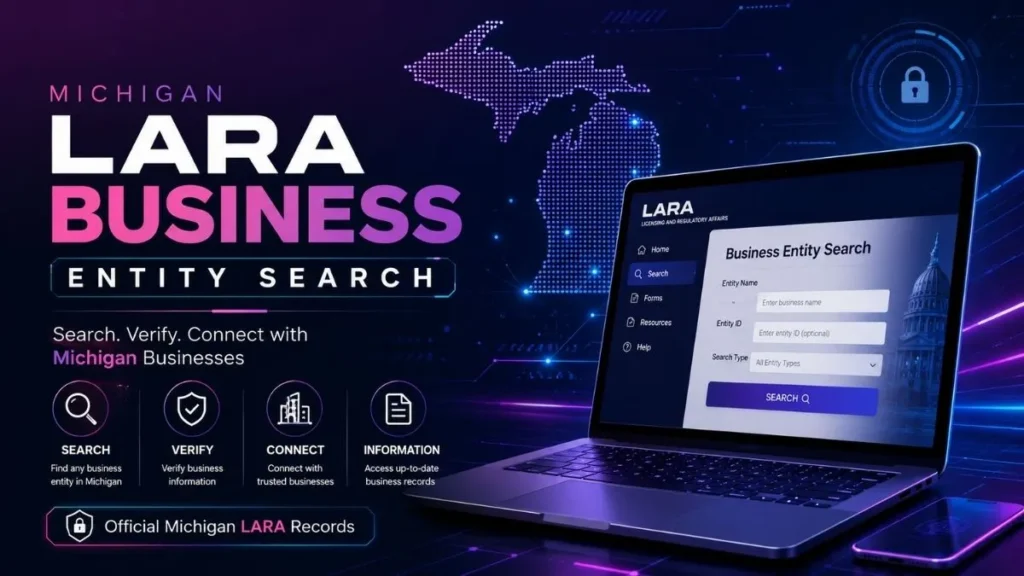
Source:https://lastmagazinepro.com/
Looking up a company in Michigan used to mean digging through a clunky state database and hoping the search box actually understood what you typed. That’s changed. In 2025, the Michigan Department of Licensing and Regulatory Affairs (LARA) rolled out a new system, and if you’re trying to run a Michigan LARA business entity search today, it’s worth knowing exactly how the current tool works not the outdated version most articles still describe.
This guide walks through what the search actually does, how to use it correctly, what information it shows, and what to do when it doesn’t return the result you expected. Whether you’re vetting a vendor, forming an LLC, or double-checking your own filing status, this is the process as it stands right now.
What Is the Michigan LARA Business Entity Search?
LARA is the state agency responsible for registering and regulating businesses in Michigan, through its Corporations, Securities & Commercial Licensing Bureau. Any company that wants to legally operate as an LLC, corporation, limited partnership, or limited liability partnership in the state has to file with this office and once it does, that filing becomes part of the public record.
The business entity search is the public-facing tool that lets anyone look up those records without filing a request or paying a fee. You can use it to confirm a company is legitimately registered, check whether it’s in good standing, or see basic filing history before signing a contract, extending credit, or forming a business relationship.
Quick answer: The Michigan LARA Business Entity Search is a free, public online lookup now run through the state’s MiBusiness Registry Portal that lets you search for registered businesses in Michigan and view their filing status, entity type, and registered agent information.
Where to Search: The MiBusiness Registry Portal
Here’s the part that trips people up if they’re working from an older guide: LARA replaced its previous filing and search system with the MiBusiness Registry Portal in mid-2025. The old platform is gone, and the new one was built to be faster and easier to navigate, with search, filing, and document ordering all handled in one place.
You can reach it in two ways:
- Go directly to the MiBusiness Registry Portal through LARA’s website.
- Visit Michigan.gov/LARA, click “I Need to…,” then select “Start a Business, File Annual Reports, or Lookup a Business.”
Searching the database is free and doesn’t require an account. You only need to create a MiLogin for Business login if you plan to file a document, request a certified copy, or order a certificate plain lookups are open to anyone.
How to Use the Michigan LARA Business Entity Search
1: Access the Search Tool
Open the MiBusiness Registry Portal and locate the search bar, which accepts either a business name or a file/ID number.
2: Enter Your Search Terms
You can search a few different ways:
- By business name: full or partial name of the entity
- By identification/file number: the number LARA assigned when the entity was formed
- By filing type or status: using the advanced filters if you’re narrowing a broad result set
If you’re not sure of the exact legal name, search a distinctive word or phrase from it rather than the whole thing. Overly specific searches (including “LLC” or “Inc.” at the end) sometimes filter out the exact match you’re looking for.
3: Review the Results List
Matching entities appear in a results table, usually sortable by name, status, or entity type. Because Michigan doesn’t require unique business names across every category, you may see several similarly named entities check the city, entity type, and ID number to confirm you’ve got the right one.
4: Open the Entity Record
Clicking a result opens a detail view with the entity’s core filing information. From there you can also view its filing history and any assumed names (“doing business as”) on record.
What Information Can You Find?
A standard entity record on the portal typically includes:
- Legal business name and any registered assumed names
- Entity type (LLC, corporation, LP, LLP, etc.)
- Identification/file number
- Formation or registration date
- Current status (active, dissolved, etc.)
- Registered agent and registered office address
- A list of filings on record (articles, annual reports, amendments)
One important distinction: the public search shows that a filing exists and its basic details it generally does not display the names of individual LLC members or managers, since Michigan doesn’t require that information on formation documents. If you need certified copies of actual filed documents, that’s a separate request through the portal, not something the free search itself provides.
How to Search for a Michigan LLC
The process for an LLC is the same general search, just with LLC-specific things to watch for:
Search by name. Try the core, distinctive part of the name rather than the full legal name with “LLC” attached.
Search by ID number. If you already have the entity’s file number from a contract, invoice, or prior filing this is the fastest and most precise way to pull up the exact record.
Verify the status. Once you’ve found the right entity, check its current status before relying on the information. A name showing up in search results doesn’t guarantee the company is currently active.
How to Check a Michigan Business Status
Entity records show a status field, and it’s one of the most useful things to check before doing business with a company.
1. Active or good standing generally means the entity has met its filing requirements and is currently authorized to operate.
2. Inactive, dissolved, or other statuses can mean anything from voluntary dissolution to administrative dissolution for failing to file an annual report or statement the reason isn’t always obvious from the status label alone.
3. Why it matters: contracting with, lending to, or investing in a business that isn’t in good standing can create legal and financial complications. If a status looks off or ambiguous, it’s worth reviewing the entity’s filing history or reaching out to LARA directly rather than assuming what a label means.
Michigan LARA Business Entity Search vs. Other Business Searches
| Search Type | Main Purpose |
|---|---|
| Michigan LARA Business Entity Search | Find and verify Michigan-registered business entities |
| LLC Name Search | Check whether a specific LLC name is available or already in use |
| Business Name Search | Look up businesses generally by name, sometimes across states |
| Business Filing Search | Review specific documents filed on an entity’s record |
They overlap, but the LARA search is the only one that pulls directly from Michigan’s official state record.
Common Reasons to Use the Michigan Business Entity Search
- Confirming a business actually exists before signing a contract
- Checking whether a company is in good standing
- Researching a potential vendor, partner, or employer
- Verifying a business name before registering your own
- Reviewing an entity’s filing and name history
- General due diligence before a transaction
Tips for Getting Better Search Results
1. Use the exact legal name where possible. but drop suffixes like “LLC” or “Inc.” if the exact-name search comes up empty.
2. Try name variations. Businesses sometimes register with punctuation, abbreviations, or spacing that differs slightly from how they market themselves.
3. Confirm the entity type. If you know whether you’re looking for an LLC vs. a corporation, use that filter to cut down false matches.
4. Have the ID number ready if you can get it. It’s the single most reliable way to land on the correct record on the first try.
6. Check the most recent filing date. A business’s information can change registered agents move, statuses change so don’t rely on a printout or screenshot that’s more than a few months old.
What to Do If You Can’t Find a Business
- Double-check the spelling, including punctuation and abbreviations.
- Search a shorter, more distinctive portion of the name instead of the full name.
- Try switching between a name search and an ID number search.
- Confirm the business is actually registered in Michigan and not another state.
- If you’ve tried everything and still can’t locate it, check LARA’s official contact resources some older or historical filings may require direct assistance from the Corporations Division.
Frequently Asked Questions
Q1: What is the Michigan LARA Business Entity Search?
It’s a free public search tool, now hosted on the MiBusiness Registry Portal, that lets anyone look up registered business entities in Michigan and view basic filing and status information.
Q2: How do I search for an LLC in Michigan?
Use the MiBusiness Registry Portal’s search bar with the LLC’s name or file number, then confirm the correct match using entity type and location details.
Q3: Can I search for a Michigan business by name?
Yes. Name search is the most common method, though searching by identification number is faster if you already have it.
Q4: What information does a Michigan business search show?
Entity name, type, status, formation date, registered agent, registered address, and a list of filings on record.
Q5: How can I check if a Michigan LLC is active?
Open the entity’s record in the portal and check the status field, which reflects whether it’s active, dissolved, or in another standing.
Q6: Is the Michigan LARA business search free?
Yes, searching is free. Fees only apply if you request certified copies, order certificates, or file documents.
Q7: What should I do if my business search returns no results?
Check your spelling, try a shorter or partial name, switch to an ID number search, and confirm the business is registered in Michigan rather than another state.
Final Thoughts
The Michigan LARA Business Entity Search now running through the MiBusiness Registry Portal is the fastest way to confirm whether a business is legitimately registered in Michigan and in good standing. It’s free, doesn’t require an account for basic lookups, and pulls directly from the state’s official record, which makes it a more reliable starting point than third-party lookup sites. Whenever a company’s status actually matters before a contract, a partnership, or an investment go straight to the source and check it there.
Read More Informative Articles:
- IL Business Search: Easy, Fast & Complete Guide 2026
-
IL Secretary of State Business Search: 7 Easy & Powerful Ways
-
Illinois LLC Search: 5 Easy Steps to Verify Any Business (2026 Guide)
-
Michigan Entity Search: 7 Easy Ways to Find Business Records

Sobia is an SEO Expert and Content Writer specializing in keyword research, SEO optimization, and engaging content that improves search rankings, drives organic traffic, and enhances online visibility.








1 thought on “Michigan LARA Business Entity Search: 5 Easy Ways to Find a Business”