Michigan Corporations Business Entity Search: 5 Easy Steps to Find Business Records
Source:https://lastmagazinepro.com/
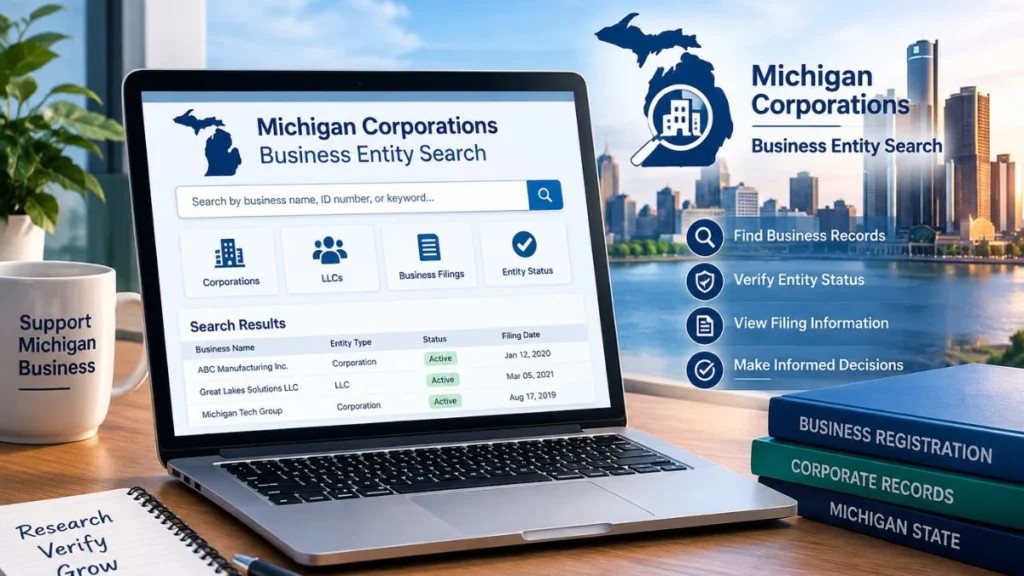
The Michigan Corporations Business Entity Search is a free tool through the state’s MiBusiness Registry Portal, run by LARA (Michigan’s Department of Licensing and Regulatory Affairs). Type in a business name, a filing number, or even a resident agent’s name, and it’ll pull up the entity’s legal name, when it was formed, its current status, and its filing history. No login, no fee, no catch.
Ever Googled a company before signing anything with them? Same instinct is behind this tool — except instead of relying on whatever shows up in a search engine, you’re going straight to the state’s own records. Every LLC, corporation, nonprofit, and partnership registered in Michigan has a file sitting in LARA’s system, and that file can answer questions no website or sales call ever will.
Here’s how to actually use it, what it’ll show you, and what to do when it doesn’t turn up what you expected.
What Is Michigan Corporations Business Entity Search?
It’s a public records lookup run by LARA’s Corporations, Securities & Commercial Licensing Bureau, accessed through the MiBusiness Registry Portal. You put in a name or an ID number, and it hands back whatever’s on file for that entity.
Who’s actually using this thing? A pretty broad mix:
- Business owners checking whether their name is still available
- Entrepreneurs scoping out the competition or checking for name conflicts
- Everyday customers making sure a company is really registered
- Vendors and partners doing a sanity check before signing anything
- Lawyers and compliance folks running due diligence
Quick note on terminology, since people mix these up: a “corporation search” and a “business entity search” aren’t exactly the same thing. Entity search is the umbrella term — it covers corporations, LLCs, limited partnerships, LLPs, nonprofits, all of it. Searching for a corporation specifically just means narrowing the entity-type filter once you’re already in the results.
What Information Can You Find in a Michigan Business Entity Search?
Most of the time, a record will give you:
- The legal business name, plus any DBAs or assumed names on file
- Entity type — corporation, LLC, LP, LLP, nonprofit
- Current status (active, dissolved, etc.)
- Entity ID / filing number
- Formation date
- Resident agent’s name and address
- Filing history — annual reports, amendments, and so on
Don’t expect every field to be filled in for every business, though. A brand-new LLC that’s barely filed anything will have a thin record. A company that’s been around twenty years, filing amendments and annual reports the whole time, will have a lot more to look through.
How to Perform a Michigan Corporations Business Entity Search
1. Head to the MiBusiness Registry Portal
Start on LARA’s Corporations Division page and click through to the MiBusiness Registry Portal — this replaced the older Corporations Online Filing System (COFS) back in 2025. Stick to this official source. A lot of third-party sites that claim to “search Michigan businesses” are just repackaging this same public data, usually with ads bolted on.
2. Pick Your Search Method
You’ll generally have a few options:
- Business (entity) name
- Individual name — handy if you’re trying to trace which entities a specific resident agent or officer is tied to
- Filing/ID number, if you happen to already have it
3. Type In What You Know
Be as precise as you can with the name. If you’re not 100% sure of the exact legal name, don’t worry — a broader term still works, you’ll just have more results to sift through.
4. Look Through the Results
You’ll get a list of matches with ID numbers and basic info attached. Take your time here — Michigan has no shortage of similarly named businesses, and it’s easy to click the wrong one.
5. Open the Record
Click into the actual entity to see the full picture: formation date, resident agent, filing history, current status.
6. Double-Check Before You Trust It
Look at the most recent filing date and status before you act on anything you find. A record that hasn’t been touched in years might not reflect where that business actually stands today.
How to Search for a Michigan Corporation by Name
Getting the name right up front saves you a lot of scrolling later.
- Use the exact legal name if you have it. “Acme Manufacturing, LLC” and plain “Acme Manufacturing” can return different results.
- Try a partial name if you’re unsure. Most search tools let you search “begins with” or by keyword — you don’t need the full exact name.
- Watch for spelling variations. Businesses don’t always register under the name they use publicly, so a straight search can miss them.
- Don’t just search the brand name. A company’s storefront name and its legal filing name are often two different things — try both if your first attempt comes up empty.
Quick tip: When you’re stuck, search the legal name first. Nine times out of ten, the reason people can’t find a business is that they’re searching a marketing name instead.
How to Check a Company’s Michigan Business Status
Once you’ve pulled up the right entity, the status field tells you where things actually stand:
- Active — in good standing, current on its filings
- Inactive — no longer operating under that registration
- Dissolved — formally shut down, whether by choice or administratively
This matters more than people think. A dissolved company can still have a live website and an active Instagram — status is what actually tells you whether you’re dealing with a real, legally operating business right now, not just an old web page that never got taken down.
How to Find a Michigan Corporation’s Filing Information
This is where the paper trail lives:
- Formation documents (Articles of Organization or Incorporation)
- Annual reports and statements
- Amendments — name changes, address changes, structural changes
- Filing dates for all of the above
How much you’ll find depends heavily on the company’s age and activity. A business formed last year won’t have much of a file yet. One that’s been filing consistently for two decades might have dozens of entries.
Michigan Business Entity Search vs. Corporation Search
| Search Type | Best For |
|---|---|
| Corporation Search | Finding corporations specifically |
| Business Entity Search | Any business structure — LLC, LP, LLP, nonprofit, corporation |
| Name Search | Locating an entity when you only have a name |
| Filing/ID Number Search | Finding a specific entity once you already have an ID number |
If you’re not sure what type of entity you’re even looking for, start broad. Filtering by “corporation” too early can make you miss a record entirely if the business turns out to be an LLC.
Why Verify a Michigan Business Before Working With It?
It takes a few minutes and can save you a headache down the line. Worth doing before you:
- Sign a contract with a new vendor
- Take a job offer from a company you’ve never heard of
- Form a partnership or joint venture
- Extend credit or send an invoice
- Rule out confusion with a similarly named business
None of this replaces actual legal advice — think of it as a first pass, not a substitute for a lawyer when real money or real risk is on the line.
Common Problems When Searching Michigan Business Records
1. Why Can’t I Find a Michigan Business?
A handful of usual culprits:
- A typo or misspelling
- Searching the brand name instead of the legal name
- The business just registered and hasn’t shown up yet
- It’s filed under an older or different name
- Your search filter is too narrow
2. What Should I Do If Multiple Businesses Appear?
Compare them on:
- The full legal name, not just the first word or two
- Entity type
- Filing/ID number
- Current status
- Resident agent and address
If two results look nearly identical, the ID number is usually your fastest way to tell them apart.
Michigan Business Entity Search for New Entrepreneurs
If you’re forming a business, this is where your name-check starts.
Make sure your desired name isn’t already taken or too close to something existing to count as “distinguishable,” which Michigan requires by law. It’s also worth poking around at what’s already out there in your space before you commit to a brand. And don’t skip the naming rules: an LLC name has to include “Limited Liability Company,” “LLC,” or “L.L.C.,” for instance small detail, but it’ll trip up your filing if you miss it.
One thing to keep in mind: a clean search result is a good sign, but it’s not a guarantee. LARA still does a manual review when you actually file.
Michigan Corporations Business Entity Search for Due Diligence
Outside of starting a business, this tool gets used a lot for:
- Verifying vendors or suppliers before onboarding them
- Researching a potential partner before a joint venture
- Compliance checks in regulated industries
- General public-record digging on any Michigan-registered company
Treat what you find as a starting point, not a full clearance. Anything involving real money, contracts, or regulatory exposure deserves an actual legal review on top of this.
Frequently Asked Questions
1. What is Michigan Corporations Business Entity Search?
A free public search tool from LARA that lets you look up registered Michigan businesses by name or filing number and see their basic entity information.
2. How do I search for a corporation in Michigan?
Head to the MiBusiness Registry Portal, enter the business name or filing number, then filter by entity type if you want corporations specifically.
3. Can I search for a Michigan business by name?
Yes — exact name, partial name, or keyword, depending on what the portal offers at the time you’re searching.
4. How can I check if a Michigan corporation is active?
Open its record in the search results. The status field will show active, inactive, or dissolved.
5. Can I find a company’s filing history?
Yes, the entity’s record typically includes formation documents, annual reports, and any amendments filed.
6. Can I search for an LLC in Michigan?
Yes — the tool covers LLCs, corporations, partnerships, and nonprofits, not just corporations.
7. What if I cannot find the business I am looking for?
Check your spelling, try the legal name instead of the brand name, widen your search terms, or use the filing number if you have it.
8. Is Michigan business entity information public?
Yes, basic registration and filing details for Michigan businesses are public through LARA’s search tool, though exactly which fields show up can vary by record.
Expert Tips for Better Michigan Business Searches
- Search the exact legal name first, widen out from there if needed.
- Try a few spelling variations.
- Double-check the entity type matches what you expected.
- Use the ID number to break ties between similar-looking results.
- Always check the most recent status — don’t stop at “a record exists.”
- Pay attention to filing dates; an old record tells a different story than a current one.
- Don’t lean on a company’s marketing name as proof of anything legal.
Conclusion
The Michigan Corporations Business Entity Search isn’t complicated — it’s just underused. Whether you’re checking if a name is free, vetting a vendor, or just want to know a business is really who it says it is, the MiBusiness Registry Portal gives you a direct line to the state’s own records. No guesswork needed. Run the search, check the status, glance at the filing history — then make your decision.
Read More Informative Articles Please Visit This Site:https://lastmagazinepro.com/

Sobia is an SEO Expert and Content Writer specializing in keyword research, SEO optimization, and engaging content that improves search rankings, drives organic traffic, and enhances online visibility.







1 thought on “Michigan Corporations Business Entity Search: 5 Easy Steps to Find Business Records”