Michigan Secretary of State Business Search | 5 Easy & Powerful Ways
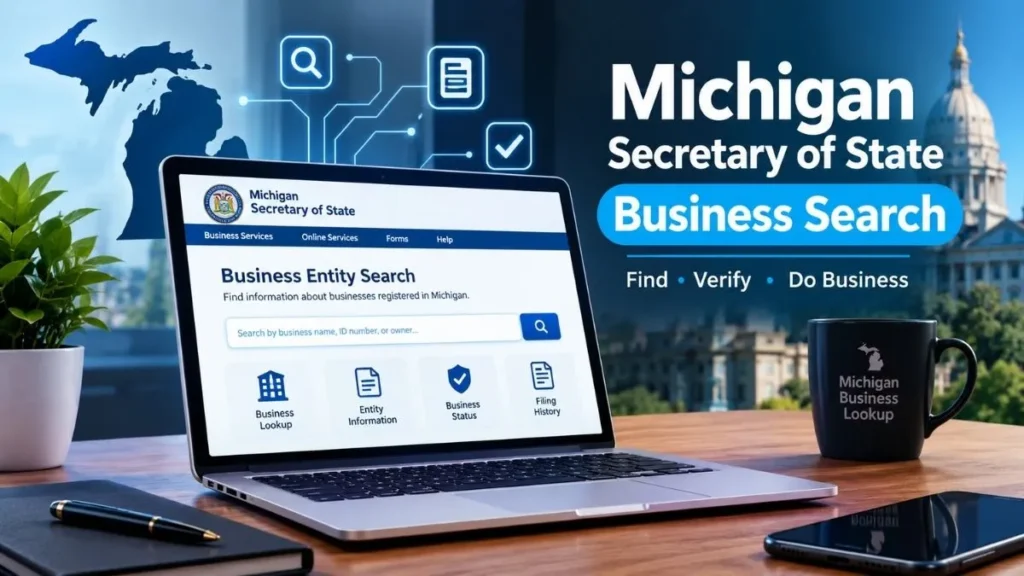
Source:https://lastmagazinepro.com/
If you’ve ever typed “Michigan Secretary of State business search” into Google, you were probably trying to answer one simple question: is this company actually real? Maybe you’re about to sign a contract, hire a contractor, invest in a startup, or register your own LLC and need to make sure the name isn’t taken. Whatever brought you here, the good news is that Michigan keeps this information public, free, and searchable online you just need to know where to look and how to read what you find.
This guide walks through exactly how the Michigan business entity search works, what it can (and can’t) tell you, and how to avoid the most common mistakes people make when using it.
What Is the Michigan Secretary of State Business Search?
Here’s a detail that trips a lot of people up: Michigan’s business records aren’t actually managed through the Secretary of State’s office anymore. They’re maintained by the Corporations Division of the Michigan Department of Licensing and Regulatory Affairs (LARA). Most people still call it the “Secretary of State business search” out of habit, since the SOS used to handle business filings years ago and search engines still route people that way but LARA is where the current database lives.
Functionally, it’s a public registry lookup tool. It lets anyone not just lawyers or business owners search for corporations, LLCs, nonprofits, and partnerships registered in the state and pull up their basic filing history. Think of it as Michigan’s version of a public records desk, just digitized.
People use it for a handful of common reasons:
- Confirming a business is legally registered before working with it
- Checking whether an LLC name is available before filing
- Verifying a company’s current standing (active, dissolved, etc.)
- Looking up a registered agent or resident agent for legal correspondence
- Researching a competitor or potential business partner
How to Use Michigan Secretary of State Business Search
1: Open the Official Search Portal
Go directly to LARA’s business search tool rather than a third-party lookup site. Third-party “Michigan business search” sites often just scrape and repackage the same public data sometimes with outdated or paywalled results so it’s worth going to the source first.
2: Enter the Business Name
Type in the business name as closely as you can to how it’s officially registered. You don’t need the full legal suffix (like “LLC” or “Inc.”) to get results, but including it can help narrow things down if the name is common.
3: Review Search Results
The tool will return a list of matching or similar entity names. Michigan’s search isn’t always an exact match it often pulls in names that are close, not identical, which is actually useful if you’re not 100% sure how a business is spelled or formatted in the state’s records.
4: Select the Correct Business Record
Click into the specific entity to view its full file. This is where you’ll find the details that actually matter status, filing date, entity type, and registered agent information.
What Information Can You Find?
Once you open a business’s record, you’ll typically see:
- Business name: including any assumed names (DBAs) on file
- Entity type: LLC, corporation, nonprofit, partnership, etc.
- Business status: active, dissolved, revoked, or otherwise
- Filing information: formation date and filing/ID number
- Registered agent details: the person or entity authorized to receive legal documents
- Document history: annual reports and other filings on record
It’s worth noting this is a snapshot of filing status, not a full picture of the company’s operations, finances, or legal history. It won’t tell you if a business is being sued, how it’s performing financially, or who its customers are.
Search Options Available in Michigan
1. Search by Business Name
The most common method. Best when you know exactly (or roughly) how the business is named on paper.
2. Search by Identification Number
If you already have a filing number or ID from a document, contract, or invoice, searching by number is the fastest and most precise way to pull up a record no ambiguity about which “Smith Consulting LLC” you mean.
3. Search by Individual or Organization
Useful when you know a person’s name say, a registered agent or a business owner but aren’t sure what entity they’re associated with. This search type surfaces businesses tied to that individual or organization.
How to Check a Michigan Business Status
Every registered entity in Michigan carries a status flag, and it matters more than people realize:
- Active: in good standing and current on its filings
- Not in good standing: usually means a missed annual report or fee
- Dissolved: the entity has been formally closed
- Revoked: the state has administratively shut it down, often for non-compliance
Before signing a contract, extending credit, or forming a partnership with any Michigan business, checking status takes about thirty seconds and can save you from dealing with an entity that technically no longer has legal standing.
How to Find a Michigan LLC
Looking up an LLC works the same way as a general business search, with a couple of extra things worth knowing:
- Exact-name searches confirm whether a specific name is already taken essential if you’re about to file your own LLC.
- Partial-name searches are useful when you only remember part of a name, or want to see every LLC using a particular word (helpful for competitive research).
- Once you find a match, open the full record to confirm it’s the right entity Michigan has plenty of similarly named businesses, and two LLCs can share a nearly identical name if one includes a distinguishing word or suffix.
A name showing up as “available” in search doesn’t guarantee LARA will approve it during formation the state still does its own review but it’s a solid first check.
Michigan Business Search vs. LLC Search
People often use these terms interchangeably, but they’re not quite the same thing.
| General Business Search | LLC-Focused Search | |
|---|---|---|
| Covers | All entity types (LLCs, corporations, nonprofits, partnerships) | Just LLCs |
| Best for | Verifying any company’s registration status | Checking LLC name availability before filing |
| Typical user | Consumers, researchers, due diligence checks | Entrepreneurs forming a new business |
| Result detail | Entity type, status, filing history | Same, filtered to LLC records only |
In practice, Michigan’s search tool doesn’t split these into separate portals it’s one database you can filter by entity type. But knowing the distinction helps you search smarter and skip irrelevant results.
Common Problems With Michigan Business Searches
1. Business Name Not Found
Usually means one of three things: the name is spelled differently in the state’s records, the business isn’t actually registered in Michigan, or it’s registered under a different legal name than the one it operates under publicly (its DBA).
2. Too Many Search Results
Common with generic business names. Narrowing your search with a suffix, city, or partial ID number usually helps.
3. Incorrect or Outdated Information
Filing records only update when a business actually files something with the state. A company that moved offices or changed agents six months ago but hasn’t filed an update yet will still show old information.
4. Similar Business Names
Michigan allows names that are similar but not identical, which means it’s easy to click into the wrong record. Always double-check the ID number and filing date against any paperwork you already have from the business in question.
Tips for Getting Better Search Results
- Use the exact legal name when you have it pull it from an invoice, contract, or email signature if possible
- If an exact search comes up empty, try broader variations or drop the legal suffix
- Always confirm entity type and status before assuming a match is correct
- Cross-check registered agent or filing details against any paperwork you already have
- For anything with legal or financial weight, treat the search as a starting point not a substitute for a certified document from LARA if you need one
Frequently Asked Questions
Q1: What is the Michigan Secretary of State Business Search?
It’s a free public tool now run through LARA’s Corporations Division rather than the SOS directly that lets anyone look up registered businesses in Michigan, including their entity type, filing status, and registered agent information.
Q2: How do I search for a business in Michigan?
Go to LARA’s official business search portal, enter the business name (or ID number, if you have it), review the list of matching results, and open the correct record to see its full details.
Q3: Can I search for a Michigan LLC by name?
Yes. You can search by exact name or partial name. This is the standard way to check whether an LLC name is already taken before filing your own formation paperwork.
Q4: How can I check if a Michigan business is active?
Open the business’s record in the search results and look for its status field. It will show as active, not in good standing, dissolved, or revoked.
Q5: Is Michigan business information publicly searchable?
Yes. Basic registration details name, entity type, status, filing history, and registered agent are public record and free to search online. Sensitive details like financials or ownership percentages typically aren’t included.
Final Thoughts
The Michigan Secretary of State business search really the LARA Corporations Division database is one of the simplest due-diligence tools available to anyone doing business in the state. Whether you’re forming an LLC, vetting a potential partner, or just satisfying your own curiosity about a company, a few minutes with the search tool gives you a clear, official answer.
Before you make any decision based on what you find, it’s worth double-checking the entity name, type, and status directly against LARA’s official records search results are a great starting point, but the official filing is always the final word.
- Illinois SOS Business Search: Easy & Powerful Business Lookup Guide
-
OnlyWorkMoods com | What It Is, How It Works, and What to Know
-
Florida Entity Search | How to Find and Verify Florida Business Records
-
LARA Business Entity Search: 7 Easy Steps to Find Business Records
-
Michigan Corporations Business Entity Search: 5 Easy Steps to Find Business Records

Sobia is an SEO Expert and Content Writer specializing in keyword research, SEO optimization, and engaging content that improves search rankings, drives organic traffic, and enhances online visibility.