State of Michigan Business Entity Search: 5 Easy Steps to Find Business Records
Source:https://lastmagazinepro.com/
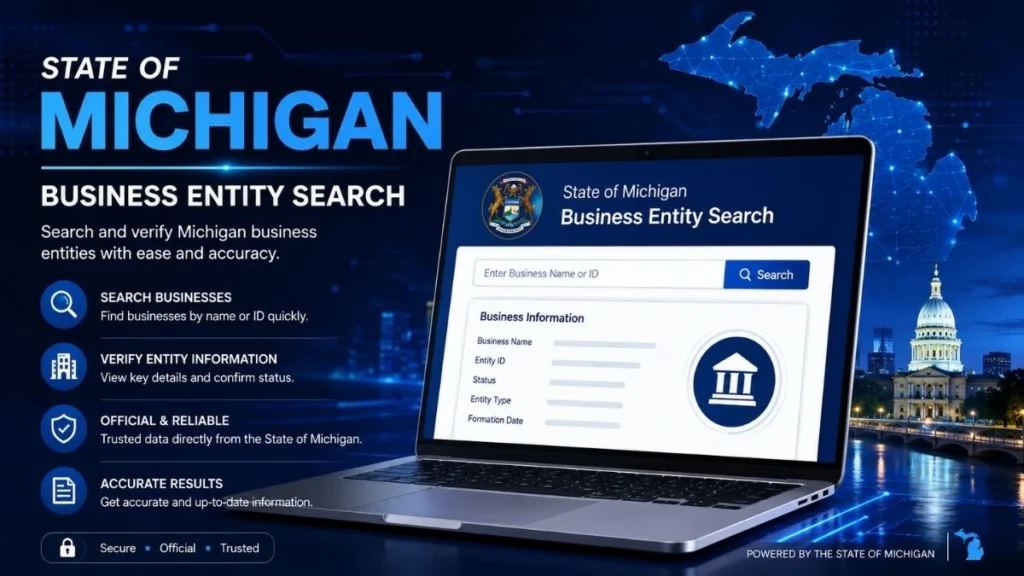
If you need to verify a company before signing a contract, hiring a vendor, or checking on a competitor, the State of Michigan Business Entity Search is the fastest way to get real, official answers. It’s a free public lookup tool that pulls directly from state government records no guesswork, no third-party data resellers, just the actual filing history a business has with the state.
Whether you’re a small business owner checking name availability, an investor doing due diligence, or simply someone trying to confirm a company is legitimate, this guide walks you through exactly how to use the Michigan business entity search, what information it reveals, and how to avoid the common mistakes that trip people up.
What Is the State of Michigan Business Entity Search?
1. Simple Definition
The State of Michigan Business Entity Search is an online database that lets anyone look up businesses registered to operate in Michigan. It’s maintained by the Corporations, Securities & Commercial Licensing (CSCL) Bureau, a division within the Michigan Department of Licensing and Regulatory Affairs (LARA) not the Secretary of State, which is a common point of confusion since many other states route business filings through their SOS office.
2. What Business Entities Can Be Searched
The search covers most entity types formally registered in Michigan, including:
- Domestic and foreign corporations
- Limited Liability Companies (LLCs)
- Limited Partnerships (LPs)
- Limited Liability Partnerships (LLPs)
- Nonprofit corporations
- Professional service corporations and PLLCs
3. What Type of Information Users May Find
A typical record shows the business’s legal name, entity type, current status, formation date, and a summary of its filing activity enough to confirm whether a business is real, active, and in good standing with the state.
How to Use the State of Michigan Business Entity Search
1. Search by Business Name
Start by entering the business name into the search field on LARA’s official portal. You don’t need the exact, full legal name searching with one or two distinctive keywords usually works better than typing the entire name, especially if you’re unsure of punctuation, spacing, or whether it includes “LLC,” “Inc.,” or “Corporation.” The search is not case-sensitive, and most punctuation is ignored automatically.
2. Review the Search Results
Once you submit your search, you’ll typically see a list of matching or similar business names rather than a single result. This happens because many companies share similar words in their names (think “Great Lakes Consulting LLC” vs. “Great Lakes Consulting Group Inc.”). Take a moment to scan the list and compare:
- The exact spelling of each name
- The entity type listed next to it
- The city or filing details shown in the preview
This step matters picking the wrong entity from a list of similar names is one of the most common search mistakes.
3. Open the Business Record
Once you’ve identified the correct match, click into the full business record. Here’s what to review:
- Confirm the entity type matches what you expected (LLC vs. corporation, etc.)
- Check the current status active, dissolved, or otherwise
- Look at the formation or registration date to confirm the business’s history
- Scan the filing history for annual reports or statements, which indicate whether the business is staying compliant
What Information Can You Find?
A Michigan business entity search typically surfaces the following:
- Business name: the registered legal name, including any assumed names on file
- Entity type: LLC, corporation, LP, LLP, nonprofit, etc.
- Business status: active, dissolved, automatically dissolved, or revoked
- Identification details: the entity’s state-issued ID or filing number
- Formation or registration information: the date the business was formed or registered to do business in Michigan
- Filing history: annual reports, amendments, and other documents submitted over time
- Registered office or agent information, when available: useful for identifying a contact point, since Michigan does not publicly list LLC members or owners
How to Check a Michigan Business Status
To confirm whether a Michigan business is active, inactive, or dissolved, open its entity record and look for the status field near the top of the page. Michigan generally uses a few standard status categories:
- Active the business is currently registered and in good standing
- Not in Good Standing the business exists but has missed a filing requirement, such as an annual report
- Dissolved the business has been formally closed, either voluntarily or automatically
- Automatically Dissolved / Revoked the state closed the business due to continued non-compliance
If a business shows anything other than “active,” it’s worth reviewing the filing history to understand what happened and when.
Why Use a Michigan Business Entity Search?
- Verify a business: confirm a company is real and registered before signing contracts or making payments
- Research a company: understand how long a business has operated and how it’s structured
- Check registration information: confirm the legal name, entity type, and filing details are accurate
- Confirm business status: make sure you’re dealing with an active, compliant entity
- Support basic business due diligence: a first, free step before deeper background or credit checks
Michigan Business Entity Search Tips
- Use the correct business name: start with the most distinctive word or phrase rather than common terms like “LLC” or “Group”
- Try partial names when necessary: a shorter, more specific keyword often returns better matches than a full name typed exactly
- Check similar company names carefully: Michigan has many businesses with overlapping or near-identical names
- Review the complete business record: don’t stop at the name and status; check filing history for the full picture
- Use current information when making decisions: records can change, so re-check status before finalizing any agreement
Common Problems With Michigan Business Searches
Even a straightforward search can go wrong. Here are the issues people run into most often:
- Incorrect or misremembered names: a small spelling difference can mean no results at all
- Multiple matching entities: common business names return several similar results, making it easy to open the wrong record
- Unavailable or limited information: Michigan doesn’t publicly disclose LLC ownership, so some details (like member names) simply aren’t in the system
- Inactive or dissolved businesses: an outdated business card or website may point to a company that’s no longer active, which the search will reveal
How Do I Search for a Michigan Business?
To search for a Michigan business, visit LARA’s official business entity search portal and enter the company’s name or ID number. Review the list of matching results, select the correct entity, and open its record to view the business status, entity type, formation date, and filing history.
Frequently Asked Questions
Q1: How do I search for a business in Michigan?
Go to LARA’s official Michigan business entity search portal, type in the business name or entity ID, and select the matching record from the results list.
Q2: Can I search for a Michigan business by name?
Yes. You can search by full or partial business name. Using one or two distinctive keywords instead of the entire name often returns more accurate results.
Q3: What information does a Michigan business entity search provide?
It shows the business name, entity type, current status, formation date, identification number, filing history, and registered agent or office information when available.
Q4: How can I check if a Michigan business is active?
Open the business’s entity record and check the status field. It will show whether the business is active, not in good standing, dissolved, or automatically dissolved.
Q5: Can I search for an LLC in Michigan?
Yes. LLCs are one of the primary entity types included in the Michigan business entity search, alongside corporations, LPs, LLPs, and nonprofits.
Conclusion
The State of Michigan Business Entity Search gives anyone business owners, researchers, or curious consumers — a direct, no-cost way to locate, research, and verify companies registered in Michigan. By searching the correct name, comparing similar results carefully, and reviewing the full business record, you can confirm a company’s status and history in just a few minutes, straight from the state’s own records.
Read More Informative Articles:
- The Modern Digital Publishing Landscape | A Complete Guide to Content Architecture, Platform Features, and Audience Engagement
-
Illinois Corporation Search: 5 Easy Steps to Verify Any Business

Sobia is an SEO Expert and Content Writer specializing in keyword research, SEO optimization, and engaging content that improves search rankings, drives organic traffic, and enhances online visibility.