Michigan SOS Business Search: 7 Easy Tips for Fast Results
Source:https://lastmagazinepro.com/
There’s a specific kind of frustration that comes with trying to verify a business and not knowing where to look. You Google the company name, maybe find a Facebook page, maybe not and you’re still no closer to knowing if it’s a real, legally registered entity. That’s exactly the gap the Michigan SOS Business Search fills. It pulls directly from the state’s own records, so instead of guessing, you get an actual answer.
This guide covers what the search tool is, how to use it step by step, and how it compares to a plain LLC search plus the practical situations where it actually matters.
What Is Michigan SOS Business Search?
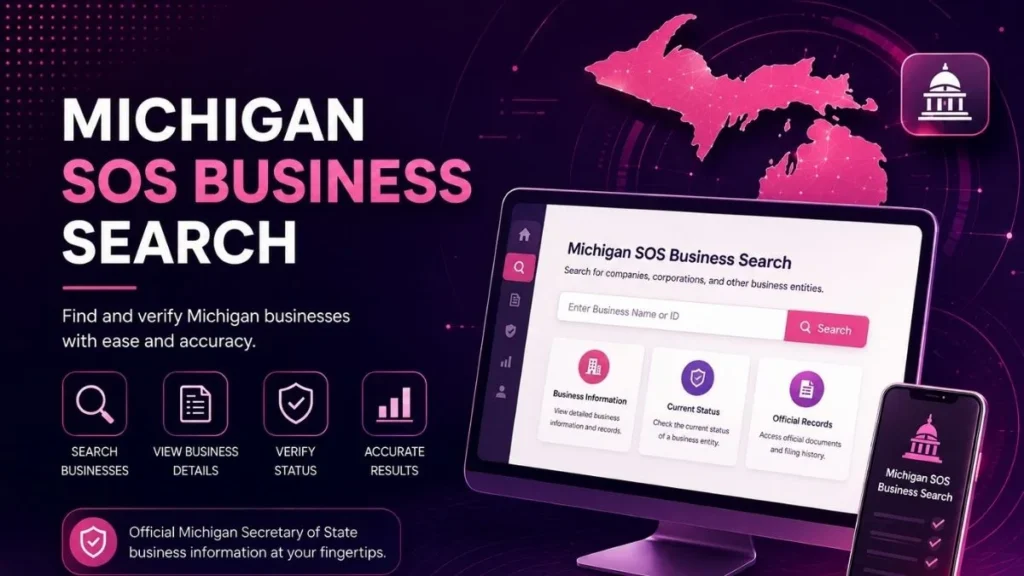
“Michigan SOS Business Search” refers to looking up a business entity through records tied to the Michigan Secretary of State and the state’s corporate filing system, managed by the Department of Licensing and Regulatory Affairs (LARA). It covers LLCs, corporations, nonprofits, and other registered entity types not just one category of business. Michigan SOS Business Search is a public lookup that lets you find official state records for any business entity registered in Michigan, including its name, entity type, and current filing status.
The records aren’t curated or summarized by a third party they’re the same data the state itself relies on, which is what makes this search meaningfully different from a general web search for a company name.
How to Use Michigan SOS Business Search
1: Open the Michigan Business Search Navigate to the state’s business entity search tool through LARA’s corporate filing system. This is the official portal, not a private directory site.
2: Enter the Business Name Type in the business name as closely as you can to how it’s officially registered. Exact wording matters more than you’d expect.
3: Review Search Results Michigan’s system often returns several similarly named entities. Scroll through the full list rather than clicking the first result.
4: Select the Correct Business Entity Match the result against details you already know city, entity type, or approximate formation date to confirm you’ve picked the right one.
5: Check Business Details Open the record and review the entity’s filing status, ID number, and other listed information.
What Information Can You Find?
A typical Michigan business record includes:
- Business or entity name as registered
- Entity type (LLC, corporation, nonprofit, etc.)
- Current business status
- Formation date
- Identification or filing number
- Registered office and registered agent information, where publicly listed
Some older or smaller entities may have thinner records than others, but the core fields name, type, and status are almost always present.
Michigan SOS Business Search by Name
Name-based searching is the most common way people use this tool, and it comes with a couple of quirks worth knowing:
- Exact business name search: works best when you already know the precise legal name, punctuation and all.
- Partial name search: useful when you’re not sure of the full name or suspect there might be slight variations (e.g., “Inc.” vs. “Incorporated”).
- Tips for finding the right entity: if your first search comes up empty, drop words like “LLC” or “Company” and search just the core business name, then narrow down from the results list.
Michigan LLC Search vs Michigan SOS Business Search
These two terms get used almost interchangeably, but there’s a real distinction:
| Michigan LLC Search | Michigan SOS Business Search | |
|---|---|---|
| Scope | Limited liability companies specifically | All registered entity types (LLC, corp, nonprofit, etc.) |
| Best for | Verifying or researching one LLC | Broader business lookups across entity types |
| Data source | Same LARA/state database | Same LARA/state database |
1. Key differences: An LLC search is really just a filtered version of the broader SOS business search same underlying data, narrower focus.
2. When to use each: If you know you’re specifically dealing with an LLC, either search works fine. If you’re not sure what type of entity you’re looking at could be a corporation, could be a nonprofit the SOS business search is the safer starting point since it doesn’t assume a structure.
3. Which is better for LLC verification: For confirming a specific LLC, the LLC-focused search is slightly faster, but both pull from identical state records, so accuracy isn’t a factor either way.
Common Reasons to Use Michigan SOS Business Search
- Verify a business before signing a contract or making a payment
- Check entity status to confirm a company is still active
- Research a company name before registering your own, similar one
- Confirm business registration for compliance or lending purposes
- Conduct basic due diligence on a potential partner, vendor, or employer
Tips for Better Search Results
- Use the correct spelling small typos can return zero results.
- Try shorter name variations if the full name doesn’t turn anything up.
- Check the entity type field to rule out mismatched results with similar names.
- Compare multiple search results rather than assuming the top one is correct.
- Review the latest available record details, since filing status can change year to year.
Frequently Asked Questions
Q1: What is Michigan SOS business search?
It’s a public lookup tool for finding official state records of businesses registered in Michigan, covering LLCs, corporations, and other entity types through the Secretary of State’s filing system.
Q2: How do I search for a business in Michigan?
Go to the state’s business entity search portal, enter the business name, review the list of matching results, and open the correct record to see its details.
Q3: Can I search for an LLC by name in Michigan?
Yes. Entering the LLC’s name into the search tool will return matching records, though exact spelling improves accuracy.
Q4: What information does Michigan business search provide?
It typically shows the entity name, type, formation date, filing status, and where publicly available registered agent and office details.
Q5: How can I check if a Michigan business is active?
Open the entity’s record and look at the status field, which will show whether it’s active, dissolved, or otherwise not in good standing.
Conclusion
Michigan SOS Business Search gives you a direct line into the state’s own corporate records, whether you’re checking an LLC, a corporation, or something in between. It takes a few minutes to search and confirm what you need, and it beats relying on guesswork or outdated third-party directories. When a business decision depends on getting it right, the state’s current official record is always worth the extra look.
Read More Informative Articles:
- Illinois SOS Business Search: Easy & Powerful Business Lookup Guide
-
OnlyWorkMoods com | What It Is, How It Works, and What to Know
-
Illinois Corporation Search: 5 Easy Steps to Verify Any Business
-
Florida Entity Search | How to Find and Verify Florida Business Records

Sobia is an SEO Expert and Content Writer specializing in keyword research, SEO optimization, and engaging content that improves search rankings, drives organic traffic, and enhances online visibility.