SOS IL Business Search | 5 Things You Must Check Before Trusting Any Business
Source:https://lastmagazinepro.com/
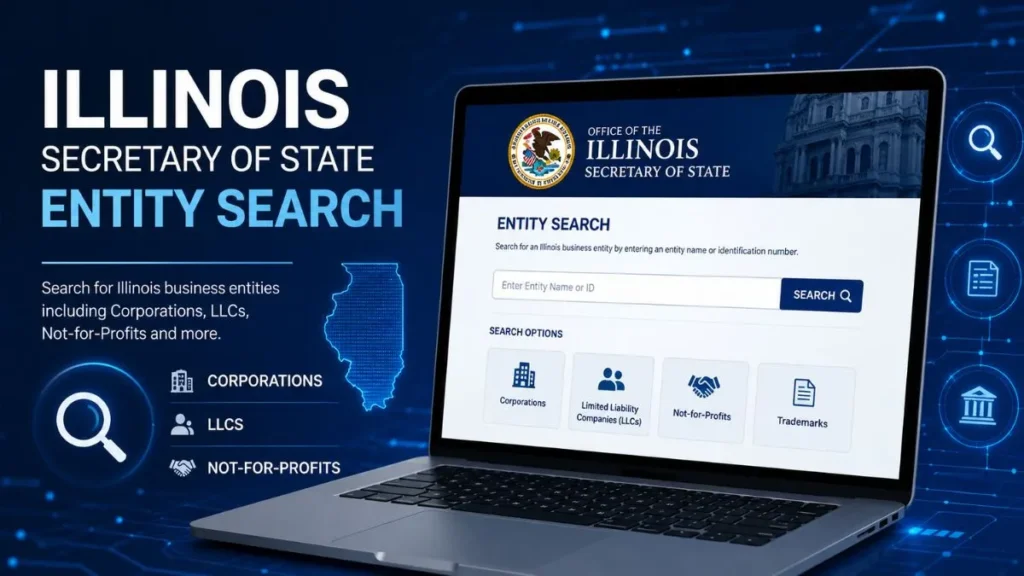
If you’re typing SOS IL Business Search into Google, chances are you already know roughly what you’re looking for you just want to know exactly how to get there and what you’ll actually see once you do. This guide covers the whole thing from top to bottom: what the search is, what information it surfaces, how to run it correctly for LLCs and corporations, the mistakes that trip people up, and the questions that come up most often once someone actually starts using it.By the end, you’ll know not just how to run a search, but how to read the results like someone who’s done it a hundred times before.
What Is SOS IL Business Search?
“SOS IL” stands for the Secretary of State of Illinois, the state office responsible for maintaining official records of every business entity formally registered within its borders. SOS IL Business Search is simply the public-facing tool that office maintains so anyone not just lawyers or accountants can look up whether a business is legitimately on file.The Secretary of State’s role here is administrative but important: every LLC, corporation, and limited partnership that wants to legally operate in Illinois has to register with that office, and the office keeps a running record of each one’s status. That record is what you’re pulling up when you run a search.
The purpose of the tool boils down to one thing verification. It doesn’t rate a business, review it, or tell you if it’s trustworthy in a moral sense. It tells you whether it exists on paper, what kind of entity it is, and whether that registration is currently active. Given how much people rely on business names alone when deciding who to trust, having access to the official record matters more than it might seem.
What Can You Find With SOS IL Business Search?
A completed search generally breaks down into four categories of information.
1. Business Name
The tool confirms the exact legal name a business is registered under, along with any alternate or “doing business as” names tied to the same entity. This matters because plenty of companies operate publicly under a name that differs slightly from their legal registration.
2. Entity Type
Illinois tracks several categories of registered businesses, including:
- LLCs (limited liability companies)
- Corporations (for-profit and nonprofit)
- Limited partnerships
- Other registered entity structures
Knowing the entity type tells you how the business is legally structured, which matters if you’re entering into any kind of formal agreement with it.
3. Business Status
This is usually the field people care about most. A business will typically show as:
- Active : currently in good standing
- Inactive: no longer operating under current registration
- Dissolved or otherwise terminated: formally closed or revoked by the state
4. Registration Information
Beyond name and status, most records include basic filing details when the entity was originally registered, and other information tied to its official file.
How to Use SOS IL Business Search
Running a search is a five-step process, and each step matters more than it looks.
Step 1: Open the Illinois Business Search
Start at the Secretary of State’s own search tool rather than a third-party site. Official access means you’re looking at current data straight from the source, not a cached or resold version of it.
Step 2: Enter the Business Name
Type in the business name as accurately as you can. Exact spelling matters here a single missing letter or an unexpected abbreviation can send you down the wrong path entirely.
Step 3: Review Search Results
Illinois’ database will typically return every entity that matches, or closely resembles, what you typed. Don’t rush past this step read through the full list before clicking into anything.
Step 4: Select the Correct Entity
Once you’ve got a list of candidates, cross-check the name, entity type, and any other identifying details you already know about the business you’re researching.
Step 5: Review Available Details
Once you’re in the correct record, go through everything available status, entity type, filing information rather than just glancing at the name and moving on.
How to Search for an Illinois LLC
LLC searches follow the same basic mechanics as any other entity search, with a few extra habits worth building:
- Search using the LLC’s registered name, or a distinctive portion of it if you’re unsure of the exact wording.
- Watch for similarly named LLCs. Illinois has thousands of active LLCs, and overlapping names are common don’t assume the first match is correct.
- Check the LLC’s status before relying on it for anything formal. An LLC that shows as dissolved is a signal to ask more questions.
- Review whatever registration information is available to confirm the entity matches what you expected to find.
How to Search for an Illinois Corporation
Corporation searches work the same way, with slightly different things to check once you land on the right record:
- Enter the corporation’s name the same way you would for any entity search.
- Compare matching records carefully, especially if multiple corporations share similar naming conventions.
- Check the entity’s current status to confirm it’s still active.
- Review the available corporate information, including whether it’s registered as for-profit or nonprofit.
How to Check an Illinois Business Name
Sometimes the goal isn’t verifying an existing business it’s researching a name before you register one of your own. In that case:
- Search the exact name you’re considering to see if it’s already taken.
- Look for similar existing names, since Illinois may flag names that are too close to something already on file.
- Use the search as a preliminary availability check, understanding that a formal name reservation is a separate step from a basic search.
- Confirm anything important through official channels before finalizing your decision.
How to Check Illinois Business Entity Status
Status is where most of the practical value in a search lives, so it’s worth understanding what each label actually means:
- Active means the entity is currently in good standing with the state.
- Inactive generally means the entity is no longer operating under its current registration, though the specifics can vary.
- Dissolved or terminated means the state’s records show the entity has formally closed or had its registration revoked.
Reading status correctly rather than just glancing at it is often the difference between catching a problem early and missing it entirely.
Why Should You Use SOS IL Business Search?
There’s a short list of reasons people come back to this tool again and again:
- Business verification before signing a contract or making a payment
- Due diligence ahead of a partnership, investment, or vendor relationship
- Business name research before registering a new entity
- Researching potential business partners or vendors before committing to a relationship
- Verifying existing entity information you’ve been given secondhand
- Reviewing publicly available registration details for general research purposes
SOS IL Business Search for Business Owners
If you already own a registered business, the search tool isn’t just for checking on other companies it’s useful for keeping tabs on your own record too:
- Verify your own business record periodically to make sure everything is accurate.
- Review your entity information for any outdated details.
- Check your business status to confirm it still shows as active.
- Monitor filing information tied to your entity over time, especially around renewal periods.
SOS IL Business Search for Entrepreneurs
For people in the earlier stages of starting a business, the same tool serves a slightly different purpose:
- Research potential business names before committing to one.
- Identify similarly named entities that might create confusion or conflict.
- Research competitors already registered in Illinois.
- Explore the broader landscape of registered entities in your industry or region.
Tips for Getting Better SOS IL Business Search Results
A handful of small habits make searches noticeably more reliable:
- Use correct spelling. Even small typos can hide the exact entity you’re looking for.
- Try unique words from the business name rather than common terms that return too many matches.
- Use partial searches when appropriate. Sometimes a shorter search turns up results a full-name search misses.
- Compare similar names carefully before assuming you’ve found the right entity.
- Check both entity type and status, not just the name, before drawing conclusions.
- Prioritize official state records over third-party directories, which can lag behind.
Common Mistakes to Avoid
1. Using the Wrong Business Name
Searching a name that’s close but not exact a missing “LLC,” an extra word, a slightly different spelling is the single most common reason people can’t find a business that’s actually registered.
2. Ignoring Similar Search Results
Clicking the first result without scanning the full list can lead you to the wrong entity entirely, especially in a state with as many registered businesses as Illinois.
3. Not Checking Entity Status
Confirming a business exists isn’t the same as confirming it’s currently active. Skipping the status check is one of the easiest ways to end up working with a dissolved entity.
4. Relying Only on Third-Party Websites
Aggregator sites can be convenient, but they’re not always current. When accuracy matters, the official state record should be your primary source.
5. Assuming Similar Names Are the Same Business
Two entities with nearly identical names can be completely unrelated companies. Always verify entity type and registration details before assuming a match.
SOS IL Business Search vs Illinois Entity Search
These two phrases are often used interchangeably, and functionally, they overlap almost entirely:
| Feature | SOS IL Business Search | Illinois Entity Search |
|---|---|---|
| Business Lookup | ✓ | ✓ |
| LLC Research | ✓ | ✓ |
| Corporation Search | ✓ | ✓ |
| Entity Status | ✓ | ✓ |
| Registration Research | ✓ | ✓ |
In practice, “SOS IL Business Search” and “Illinois Entity Search” describe the same underlying tool and dataset the difference is mostly in phrasing, not function.
Is SOS IL Business Search Free?
The basic lookup searching a business name and reviewing its status, entity type, and general registration information is free and open to the public, with no account required.
Where costs can come in is if you need something beyond the basic search, such as certified copies of documents or official certificates, which are typically separate services with their own fees. For anything beyond a quick status check, it’s worth confirming current pricing and options directly through the official state resource, since fee structures can be updated over time.
What If You Cannot Find an Illinois Business?
If a search comes up empty, it doesn’t necessarily mean the business isn’t registered it might mean the search needs adjusting:
- Double-check the spelling of the name you entered.
- Try a shorter or partial version of the name instead of the full phrase.
- Consider alternative name formats, including DBAs or abbreviations.
- Verify the entity type you’re assuming a business might be registered under a different structure than expected.
- Re-review the full results list rather than assuming a single search attempt was exhaustive.
How Accurate Is SOS IL Business Information?
Because the database is maintained directly by the state, it’s generally considered a reliable, first-hand source of business registration information far more dependable than secondhand directories or business review sites.
That said, records are only as current as the filings behind them. There can be a lag between when a business files a change and when that update is reflected in the public search, so for anything time-sensitive or high-stakes, it’s worth confirming details directly through official channels rather than relying solely on the online search result.
Frequently Asked Questions About SOS IL Business Search
Q1: What is SOS IL Business Search?
SOS IL Business Search is used to look up registered business entities in Illinois and review available business information, including entity type and current status.
Q2: How do I search for a business in Illinois?
Go to the official Illinois Secretary of State business search tool, enter the business name, and review the list of matching results.
Q3: Can I search for an Illinois LLC by name?
Yes. LLCs are searchable the same way as any other entity enter the full or partial name and check the matching results for the correct one.
Q4: How can I check if an Illinois business is active?
Locate the entity in the search results and check its status field, which will indicate whether it’s active, inactive, or dissolved.
Q5: Can I search for an Illinois corporation?
Yes, corporations are searchable through the same tool used for LLCs and other entity types, using the corporation’s registered name.
Q6: What information can I find in an Illinois business search?
You can typically find the business name, entity type, current status, and available registration or filing details.
Q7: Is SOS IL Business Search free?
The basic search and status lookup is free. Additional services, such as certified documents, may involve separate fees.
Q8: What should I do if my business search returns multiple results?
Compare each result’s entity type, registration details, and any other identifying information you have to confirm which one matches the business you’re researching.
Q9: Why can’t I find a business in the search results?
This usually comes down to a spelling mismatch, an unexpected entity type, or a name formatted differently than expected try adjusting your search terms before assuming the business isn’t registered.
Quick Guide to SOS IL Business Search
Enter business name → Review results → Select the correct entity → Check entity type → Verify status → Review available details
Final Thoughts
SOS IL Business Search exists to answer one practical question as quickly as possible: is this business genuinely registered in Illinois, and is it currently in good standing? Whether you’re a business owner keeping tabs on your own record, an entrepreneur researching a new name, or simply someone about to sign a contract, the tool gives you a direct line to official state records instead of secondhand information. When accuracy actually matters, treating the state’s own database as your primary source rather than a directory or a business’s own claims is the difference between an informed decision and a guess.
Please Read More Informative Articles:
- Michigan LARA Business Entity Search: 5 Easy Ways to Find a Business
-
IL Secretary of State Business Search: 7 Easy & Powerful Ways
-
Illinois LLC Search: 5 Easy Steps to Verify Any Business (2026 Guide)

Sobia is an SEO Expert and Content Writer specializing in keyword research, SEO optimization, and engaging content that improves search rankings, drives organic traffic, and enhances online visibility.