Digital Subscription Offerings | 7 Key Types, Benefits and How to Choose the Best Plan
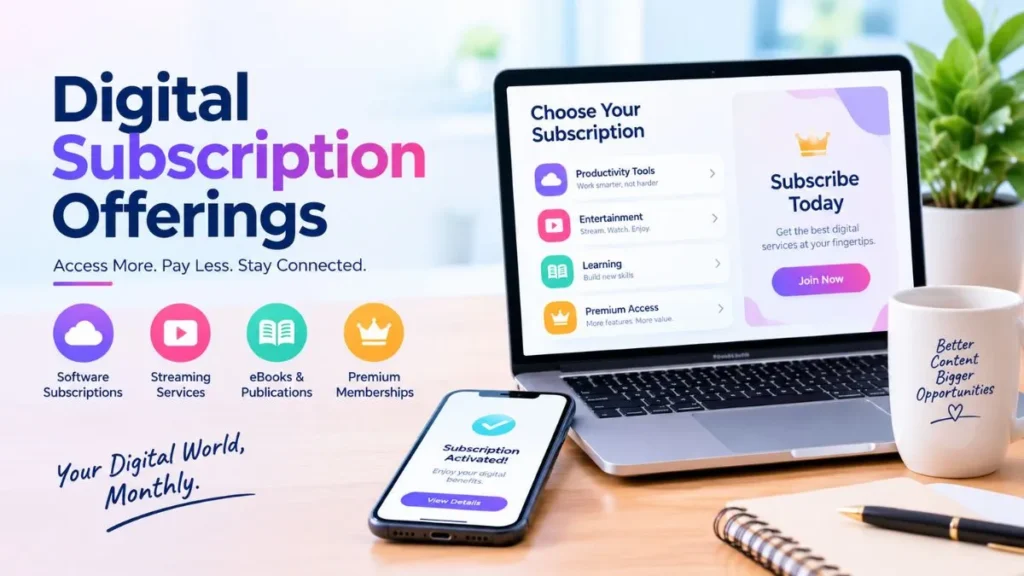
Source:https://lastmagazinepro.com/
Open your phone and count the services that bill you every month. Music, video, cloud storage, a note-taking app, maybe a news site or a language course. Digital subscription offerings have quietly moved from a nice extra to a normal part of how we watch, learn, work, and store things. This guide explains what they are, the main types, how they are priced, what they really cost, and how to choose services that earn their place in your budget.
By the end, you will know how to compare plans, spot hidden costs, and keep your recurring payments under control.
What Are Digital Subscription Offerings?
Digital subscription offerings are online products or services you pay for on a recurring basis, usually monthly or yearly, in return for ongoing access. Instead of owning a copy of something, you get the right to use it for as long as your subscription is active. Streaming platforms, software tools, online courses, and cloud storage are common examples.
1. How Digital Subscriptions Work
You choose a plan, create an account, and enter payment details. The provider then charges you at the interval you picked, and your account stays active while payments go through. Most services renew automatically unless you cancel before the renewal date.
Each plan has its own rules: what is included, how many devices or users are allowed, and what happens if a payment fails. Reading those details before you sign up saves a lot of frustration later.
2. Digital Subscriptions vs. One-Time Digital Purchases
A one-time purchase gives you a product, such as a software licence or a downloaded e-book, for a single payment. A subscription gives you access that continues only while you keep paying.
Subscriptions often include updates, support, and new content as part of the fee. One-time purchases can cost less over several years but may leave you without upgrades. The better choice depends on how long and how often you will use the product.
3. Why Subscription-Based Digital Services Are Growing
Several practical reasons explain the appeal. A lower starting cost makes premium tools easier to try. Providers can ship updates continuously instead of selling new versions. And many people simply prefer flexible access across phones, tablets, and computers over managing files and licence keys.
Subscriptions are not right for every situation, which is why comparing options matters.
7 Popular Types of Digital Subscription Offerings
Each category below serves a different need. Most people use a mix, which is exactly why costs can add up.
1. Streaming and Entertainment Subscriptions
These cover movies, television series, music, podcasts, audiobooks, and live content. Plans often vary by video quality, ad presence, number of simultaneous screens, and offline downloads. They suit people who want a large library on demand without buying individual titles.
2. Software and Productivity Subscriptions
This group includes office suites, design tools, project management platforms, password managers, and professional applications. Providers typically bundle updates and cloud features into the fee. These plans are popular with freelancers, students, and teams who need current tools without a large upfront cost.
3. Online Learning and Educational Subscriptions
Language apps, course libraries, coding tutorials, and skill-building platforms fall here. A subscription can unlock a whole catalogue instead of a single course. They work best when you study regularly, since an unused learning plan is easy to forget and expensive to keep.
4. Digital News and Publication Subscriptions
Newspapers, magazines, newsletters, e-book services, and specialist industry publications often place premium articles behind a paywall. Subscribers get deeper reporting, archives, or ad-light reading. Check whether the price you see is an introductory rate that rises after the first period.
5. Cloud Storage and Digital Backup Services
These services store files online, sync them across devices, and protect against lost phones or failed drives. Plans are commonly tiered by storage amount. Some also include sharing tools or automatic photo backup, which can be a reason to pay even for modest storage needs.
6. Gaming and Interactive Content Subscriptions
Game libraries, online multiplayer memberships, and downloadable content bundles let players access many titles for one fee. The value depends on how much you play and whether the catalogue matches your tastes. Games can also leave a library over time, so access is not permanent.
7. Fitness, Wellness, and Lifestyle Subscriptions
Workout libraries, guided programs, meditation apps, sleep tools, and recipe or planning services belong in this group. They offer structure and variety at home. They tend to deliver the most value when you build them into a routine rather than signing up in a burst of motivation.
Key Benefits of Digital Subscription Offerings
For individuals and businesses alike, subscriptions solve some real problems. These are the advantages most people notice first.
1. Convenient Access to Digital Content
Sign in on a supported device and your content or tools are there. You do not need to install from discs, transfer files by hand, or worry about which computer holds your licence. For people who move between home, office, and travel, this flexibility is a clear plus.
2. Predictable Recurring Payments
A fixed monthly or yearly fee can make budgeting simpler, as long as the price and renewal terms are clear. You know roughly what to expect on each billing date. That predictability helps only if you track it, which we cover later in this guide.
3. Regular Updates and New Features
Many subscriptions include improvements, security patches, and fresh content throughout the term. You are less likely to be stuck on an outdated version. Not every provider updates equally often, so look at a service’s recent history before you commit.
4. Flexible Plans for Different Needs
Free trials, monthly plans, annual billing, and tiered packages, where offered, let you match a service to your situation. You can start small and upgrade, or pause when your needs change. That flexibility is one of the strongest arguments for subscriptions over fixed purchases.
5. Better Access to Specialized Tools
Professional software, premium research, and large educational libraries can be expensive to buy outright. A subscription spreads the cost and lowers the barrier to entry. This matters most for students, new freelancers, and small teams testing a new workflow.
Common Digital Subscription Pricing Models
Providers use several pricing structures. Knowing them helps you read a pricing page with confidence.
1. Monthly Subscription Plans
You pay every month and can usually stop at the end of any billing period. This suits short projects, seasonal needs, or services you are still testing. The monthly rate is often higher than the equivalent annual rate.
2. Annual Subscription Plans
You pay once a year, sometimes at a discount compared with twelve monthly payments. The trade-off is a bigger upfront charge and a longer commitment. Always check the renewal conditions and whether refunds are available if you change your mind.
3. Freemium Subscription Models
A freemium service offers a free basic version and charges for advanced features, higher limits, or an ad-free experience. It lets you judge the product before paying. Pay attention to which features sit behind the paywall, because the free tier may not cover your real needs.
4. Tiered and Usage-Based Pricing
Tiered plans group features, storage, or user counts into levels such as basic, standard, and premium. Usage-based pricing charges according to what you consume, such as data stored or tasks processed. Both can be good value or surprisingly costly, depending on how your use grows.
5. Individual, Family, and Business Plans
Individual plans cover one person. Family or group plans typically add several profiles or users at a lower per-person cost. Business plans usually bring administration tools, user management, and support. Choose the plan type that matches who will actually use the service.
How to Choose the Right Digital Subscription Offering
A little structure goes a long way. Work through these steps before you enter payment details.
1. Identify Your Actual Needs
Start with the problem you want to solve. Do you need to edit video, learn Spanish, or back up family photos? A clear goal stops you from paying for features you will never touch and makes comparisons easier.
2. Compare Features and Limitations
Look at what is included, which devices are supported, and what limits apply. Check caps on storage, downloads, projects, or simultaneous users. Two plans with similar prices can differ a lot in what you can actually do.
3. Calculate the Total Subscription Cost
Add the base fee, add-ons, taxes, and any known price changes, then multiply by the length of time you expect to use the service. An annual plan that looks pricey may be cheaper over the year, while a low monthly price with extras may not be.
4. Review Cancellation and Renewal Policies
Find out how to cancel, when you must do it, and whether partial refunds exist. Watch for free trials that convert to paid plans automatically. Set a reminder the day you sign up so the first renewal never surprises you.
5. Check Privacy and Account Security
Read the provider’s privacy policy to see what data is collected and how it is used. Use a strong, unique password and turn on two-step verification where available. Prefer providers with clear payment security practices and an easy way to contact support.
Digital Subscription Offerings for Individuals vs. Businesses
Personal and organizational needs overlap, but they are not identical.
1. Subscription Services for Everyday Consumers
Consumers typically choose entertainment, personal productivity apps, learning platforms, cloud storage, and digital reading. The priorities are usually price, ease of use, and content variety. Family plans and bundles can reduce the cost per person.
2. Subscription Solutions for Small Businesses
Small businesses often subscribe to accounting software, marketing platforms, website builders, customer communication tools, and team collaboration apps. The main benefit is access to capable tools without hiring specialists or buying infrastructure. Look closely at how plans scale as your team grows.
3. Enterprise-Level Digital Subscription Solutions
Larger organizations need user management, administrative controls, integrations with existing systems, dedicated support, and strict security requirements. Contracts are more likely to be negotiated than picked from a public price list. Decisions here should involve IT, finance, and compliance teams.
Challenges and Hidden Costs of Digital Subscriptions
Subscriptions are useful, but a balanced view includes the downsides.
1. Subscription Creep and Unused Services
A few small charges seem harmless until they pile up. Services you signed up for during a trial or a busy month can keep billing long after you stop using them. Because each payment is small, the total is easy to overlook.
2. Automatic Renewals and Price Changes
Auto-renewal is convenient until it is not. Providers may change prices, end promotional rates, or adjust plan contents over time. Read renewal notices when they arrive and compare the new price with the value you actually get.
3. Limited Access After Cancellation
When a subscription ends, access to content, features, or stored data may change. Some services keep your files for a grace period; others restrict access quickly. Check the provider’s terms so you know what happens before you cancel.
4. Vendor Lock-In and Data Portability
If your files, workflows, or learning progress live inside one platform, switching can be painful. Look for export options in common formats before you invest heavily in a service. The easier it is to leave, the less risk you take by joining.
5. Privacy and Payment Concerns
Not every provider handles data and payments equally well. Research the company’s reputation, read independent reviews, and use secure payment methods. If a service asks for more personal information than it needs, treat that as a warning sign.
How to Manage Multiple Digital Subscriptions Effectively
You do not need a complicated system. A few habits are enough.
1. Create a Subscription Inventory
List every service with its price, billing frequency, renewal date, and the account used to pay. A simple spreadsheet or notes page works. Check bank and card statements to catch anything you forgot.
2. Audit Your Subscriptions Regularly
Set a recurring date, such as the first of each quarter, to review your list. For each service, ask whether you used it recently and whether you would sign up again today. If the answer is no, cancel.
3. Choose Annual Plans Carefully
Annual billing can lower the effective cost for services you rely on all year. It is a poor fit when your needs are uncertain or the service is seasonal. When in doubt, start monthly and switch to annual once you are sure.
4. Use Alerts and Account Notifications
Enable billing emails and app notifications, and add renewal dates to your calendar a few days ahead. That window gives you time to decide rather than react. Free trials deserve their own reminder.
What to Look for in the Future of Digital Subscription Offerings
No one can say exactly where subscriptions are heading, but several developments are worth watching.
1. AI-Powered Personalization
Providers are increasingly using recommendations, adaptive learning paths, and automated assistance to tailor services to each user. This can improve relevance and save time. It also raises fair questions about data use, so privacy settings matter.
2. Bundled Digital Services
Some companies combine multiple services into one package, which can lower the total price or simplify billing. Bundles help when you would use most of the included items. They are less attractive when half the package goes unused.
3. Flexible and Usage-Based Plans
More pricing approaches may tie cost to actual use, offering pause options, shorter commitments, or pay-for-what-you-need structures. For customers, this can mean fewer wasted payments. It also makes bills less predictable, so watch the details.
4. Greater Focus on Customer Retention
Competition pushes providers to improve service quality, make billing clearer, and keep delivering new value. Customers benefit when companies compete on usefulness rather than on how hard cancellation is. Choosing providers with transparent terms rewards that behavior.
Frequently Asked Questions About Digital Subscription Offerings
Q1: What are digital subscription offerings?
Digital subscription offerings are online services you pay for repeatedly, usually monthly or annually, to keep access. Rather than owning a product outright, you use it while your plan is active. Common examples include video and music streaming, software tools, cloud storage, and online courses.
Q2: What are the most common types of digital subscriptions?
The most common types are streaming and entertainment, software and productivity tools, online education, digital news and publications, cloud storage and backup, gaming memberships, and fitness or lifestyle apps. Each category serves a different need, and many people subscribe to services from several of them at the same time.
Q3: How do digital subscription services make money?
Providers earn mainly through recurring fees. Many also use subscription tiers, charging more for added features, storage, or users. Others offer a free version and profit from premium upgrades, while some bill according to usage. Advertising and add-on purchases can contribute revenue on certain platforms.
Q4: Are digital subscriptions worth the cost?
It depends on how much you use the service, the quality it delivers, the alternatives available, and your total recurring spend. A tool you rely on every week can be excellent value, while an unused app is wasted money. Reviewing each subscription regularly helps you decide honestly.
Q5: What is the difference between a monthly and annual subscription?
A monthly plan bills every month and offers more flexibility to stop. An annual plan bills once a year, often at a lower effective price, but commits you for longer and requires a larger upfront payment. Check refund and renewal terms before choosing annual billing.
Q6: Can I cancel a digital subscription at any time?
Often yes, but it depends on the provider, your plan, and the applicable terms. Some services let you cancel anytime and keep access until the period ends, while others have deadlines or limited refunds. Read the cancellation policy before subscribing and note the steps required.
Q7: How can I avoid paying for subscriptions I no longer use?
Keep a list of your subscriptions, review it on a regular schedule, and cancel anything that no longer provides value. Turn on billing notifications and set calendar reminders ahead of renewals. Checking your bank or card statements every few months can also reveal forgotten charges.
Q8: How do I choose a reliable digital subscription service?
Compare features against your needs, look for transparent pricing, and read the privacy and cancellation policies. Check independent reviews, security practices, and the quality of customer support. A trustworthy provider explains costs clearly and makes it easy to manage or end your subscription.
Final Thoughts on Digital Subscription Offerings
Digital subscription offerings cover a wide range of services, from streaming and software to learning, news, storage, gaming, and wellness. Each type has a practical use, and the right choice depends on your needs, budget, and how often you will actually use the service.
Before you subscribe, compare features, read the renewal terms, and work out the total cost over time. Then keep an eye on what you pay for. The goal is simple: choose services that keep delivering value, and let go of the ones that quietly pile up.
Read More Informative Articles:
Multiplacationcom Guide | 7 Useful Facts and Learning Tips
MDNI Explained | 7 Important Facts You Need to Know
Unbannedg Guide 2026: What It Means, the Risks, and Safer Ways to Play
Urlwo Explained: What It Is, How It Works, and How to Use It Safely (2026 Guide)

Sobia is an SEO Expert and Content Writer specializing in keyword research, SEO optimization, and engaging content that improves search rankings, drives organic traffic, and enhances online visibility.