North Carolina Secretary of State Corp Search | Easy 2026 Guide
Source:https://lastmagazinepro.com/
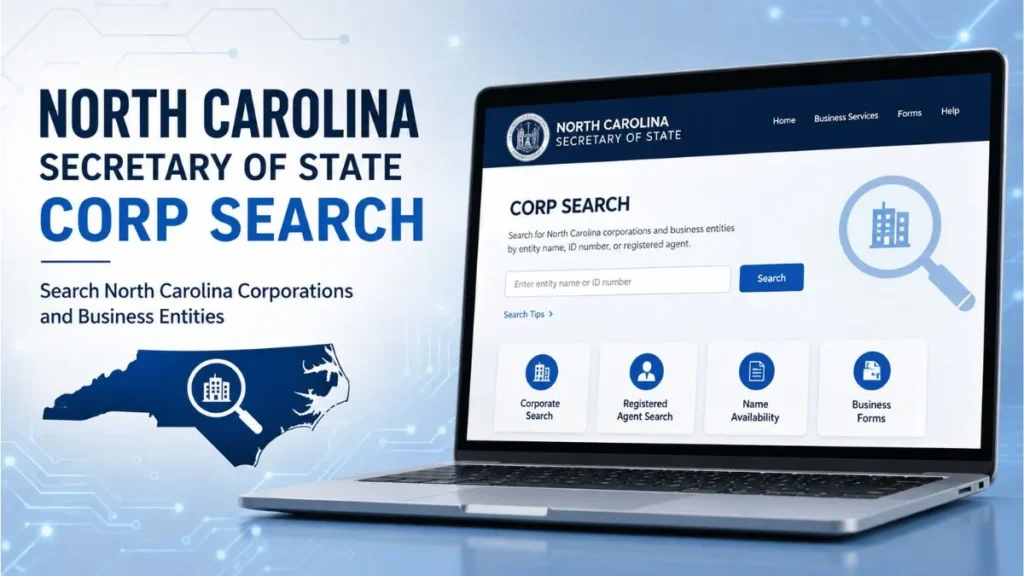
If you need to look up a company in North Carolina, the fastest and most reliable option is the North Carolina Secretary of State corp search the state’s free, official database for verifying business names, entity status, and filing history. Whether you’re forming a new LLC, checking on a vendor, or confirming a company is still in good standing, this tool gives you direct access to public business records maintained by the Secretary of State’s office. This guide walks through exactly how to use it, what it shows, and how to avoid the most common search mistakes.
What Is the North Carolina Secretary of State Corp Search?
The North Carolina Secretary of State corp search is the state’s online business registry lookup. It’s run by the Business Registration Division, which is legally responsible for recording every corporation, LLC, partnership, and nonprofit that registers to do business in North Carolina then making that information available to the public.
In plain terms, it’s a name-and-record checker. Type in a business name (or an ID number, if you have one), and the tool pulls up any matching entities on file with the state. From there, you can see whether a company is real, active, and properly registered information that matters before you sign a contract, invest, hire a vendor, or file paperwork of your own.
The database covers domestic and foreign entities alike, meaning both companies formed in North Carolina and out-of-state businesses authorized to operate there.
How to Use North Carolina Secretary of State Corp Search
Step 1: Open the Business Search Tool
Go to the Secretary of State’s official website (sosnc.gov) and navigate to the Business Registration section, then select the business entity search page. Always use the official state site rather than a third-party lookalike some private sites mimic the design but charge for information that’s free on sosnc.gov.
Step 2: Enter the Business Name
Type the company name into the search field. You can search by the exact name, part of the name, the SOS ID number (if known), a registered agent’s name, or a company official’s name, depending on which search mode you select.
Step 3: Review Search Results
The results page lists every entity that matches your search terms, along with a quick snapshot: entity name, entity type, formation date, and current status.
Step 4: Select the Correct Corporation
If multiple businesses share a similar name, click into each one to compare details like formation date and address until you find the exact entity you’re looking for.
Step 5: Check Available Entity Details
Once you’ve opened the right record, review the full filing history, including any annual reports, amendments, or dissolution notices attached to the account.
Quick answer: To search North Carolina corporations, go to sosnc.gov, open the Business Registration search tool, enter the company name, and review the matching results for entity type, status, and filing history.
What Information Can You Find in a North Carolina Corporation Search?
A single search result can tell you a surprising amount about a company. Typical fields include:
- Business/entity name: the legal name on file
- Entity type: corporation, LLC, limited partnership, nonprofit, etc.
- Current status: active, inactive, dissolved, or delinquent
- SOS ID number: the unique identifier assigned by the state
- Registration information: whether the entity is domestic or foreign
- Creation/formation date: when the business was legally formed
- Registered agent information: name and address of the agent on file
- Principal office address: the entity’s official business address
- Annual report status: whether required filings are current
This is the same information used for due diligence, background checks on vendors or partners, and confirming a company is in good standing before doing business with it.
North Carolina Corporation Search by Business Name
Business-name searches generally work in two modes:
- Exact name search: returns only entities that match the name precisely.
- “Starting with” or partial-name search: returns every entity whose name begins with, or contains, the term you enter.
Partial searches are useful when you’re not sure of a company’s exact legal name, or when you want to see whether a name you’re considering for your own business is already taken. Because many businesses have similar-sounding names, it’s worth comparing formation dates, addresses, and entity types side by side before assuming you’ve found the right one.
How to Check a Corporation’s Status in North Carolina
Entity status is one of the most important details a corp search reveals, and North Carolina uses several distinct labels:
- Active: the entity is currently in good standing.
- Active: Admin. Dissolution Pending, the entity is active but has fallen behind on a required filing, such as an annual report.
- Dissolved: the entity has been formally dissolved and is no longer authorized to operate.
- Delinquent / Suspended: filings are overdue and the entity risks administrative dissolution if it isn’t corrected.
Verifying status matters because a business that looks operational on the surface: a website, an office, a phone number: can still be dissolved or delinquent on the state’s books. Checking status before signing contracts, extending credit, or forming a partnership protects you from dealing with an entity that no longer has legal standing.
How to Find a Registered Agent in North Carolina
A registered agent is the person or company designated to receive legal documents and official state correspondence on behalf of a business. Every North Carolina corporation and LLC is required to have one on file.
Registered agent details name and address appear directly on a business’s entity record in the corp search results. This information is worth checking whenever you’re verifying a company’s legitimacy, since a missing or outdated registered agent can itself be a sign that a business isn’t actively maintaining its state filings.
North Carolina Business Entity Search vs. Corp Search
People often use “corp search” and “business entity search” interchangeably, but there’s a small distinction worth knowing:
- Corp search typically refers to looking up corporations specifically.
- Business entity search is the broader term, covering corporations, LLCs, limited partnerships, and nonprofits all in one database.
In practice, North Carolina’s official tool is a single search system that covers all entity types so if you’re not sure whether the business you’re looking for is a corporation, LLC, or nonprofit, the broader entity search will still find it.
Common Reasons to Use North Carolina Secretary of State Corp Search
1. Starting a New Business
Before you file formation paperwork, a quick search confirms your desired business name isn’t already taken or too similar to an existing one.
2. Checking an Existing Company
Verify that a business you’re about to work with, invest in, or hire is actually registered and in good standing.
3. Verifying a Business Name
Confirm the exact legal name of a company, which is useful when drafting contracts or invoices.
4. Researching a Corporation
Look into a company’s history formation date, filing pattern, and status changes over time.
5. Reviewing Public Business Records
Access annual reports and filings for transparency, competitor research, or general due diligence.
Tips for Getting Better Search Results
- Double-check spelling. Even a small typo can cause the search to miss the entity you want.
- Try unique or distinctive words first. Searching generic terms like “Carolina” or “Group” returns thousands of results.
- Use partial-name search when unsure. If you don’t know the exact legal name, a “starting with” search casts a wider net.
- Compare similar names carefully. Many businesses share nearly identical names check formation date and address to confirm you have the right one.
- Always verify status and identifying details before relying on a record for a legal or financial decision.
Common Problems With North Carolina Corp Search
1. Business Name Is Not Found
Reason: The name may be misspelled, the business may be registered under a different legal name, or it may not be registered in North Carolina at all. Solution: Try a partial search with fewer words, double-check spelling, or search by registered agent or SOS ID if you have one.
2. Too Many Similar Results
Reason: Common words in a business name (like “Solutions” or “Group”) return a long list of matches. Solution: Narrow the search with additional unique words from the business name, or filter by entity type.
3. Incorrect Search Terms
Reason: Using an abbreviated or informal version of a name (a “doing business as” name, for example) instead of the legal entity name. Solution: Search for the assumed business name separately, since it’s tracked in a different part of the system than the formal entity name.
4. Outdated or Changed Business Information
Reason: A company may have changed its registered agent, address, or name since it was last checked. Solution: Always pull the most current record directly from the search tool rather than relying on older saved information.
Frequently Asked Questions
Q1: What is the North Carolina Secretary of State corp search?
It’s the state’s free, official online database for looking up registered businesses in North Carolina, including corporations, LLCs, and nonprofits. It shows entity status, formation date, registered agent, and filing history.
Q2: How do I search for a corporation in North Carolina?
Go to the Secretary of State’s business registration search page, enter the company name (or SOS ID), and review the results for the entity that matches. Click into the record for full details, including filings.
Q3: Can I search for a North Carolina business by name?
Yes. You can search by exact name or by a partial name that the entity’s name starts with or contains, which is helpful if you don’t know the exact legal name.
Q4: How can I check if a North Carolina corporation is active?
Search the company name, open its record, and check the “status” field. “Active” means the entity is currently in good standing; other statuses indicate delinquency, dissolution, or pending administrative action.
Q5: What information can I find about a North Carolina corporation?
You can find the entity name, type, formation date, current status, SOS ID, registered agent, principal address, and annual report/filing history.
Q6: Is North Carolina corporation information publicly searchable?
Yes, basic business registration information is public record and searchable for free through the Secretary of State’s official website, with no login required.
Final Thoughts
The North Carolina Secretary of State corp search puts everything you need to vet a business name, status, registered agent, and filing history in one free, public tool. Whether you’re naming a new company, checking a potential partner, or simply confirming a business is legitimate, a quick search on sosnc.gov can save you from costly surprises down the road. Take a moment to verify the details carefully, especially when similar names are involved, and you’ll have a clear, accurate picture of any North Carolina corporation before you make your next move.
Read More Related Articles:
- Michigan LARA Business Entity Search: 5 Easy Ways to Find a Business
- IL Secretary of State Business Search: 7 Easy & Powerful Ways
- Illinois LLC Search: 5 Easy Steps to Verify Any Business (2026 Guide)
- IL Business Search: Easy, Fast & Complete Guide 2026

Sobia is an SEO Expert and Content Writer specializing in keyword research, SEO optimization, and engaging content that improves search rankings, drives organic traffic, and enhances online visibility.