OH SOS Business Entity Search Made Easy | 7 Steps to Verify Any Ohio Business
Source:https://lastmagazinepro.com/
If you’ve ever typed “OH SOS business entity search” into Google, you’re probably trying to do one of a few things: check if a company is legitimate, find out if a business name is already taken, or confirm details about your own registration with the state. Whatever brought you here, this guide walks through exactly how the process works, what you can expect to find, and how to avoid the most common headaches people run into along the way.
By the end, you’ll know how to search Ohio business records by name or entity number, how to read what comes back, and how to verify the information properly.
What Is OH SOS Business Entity Search?
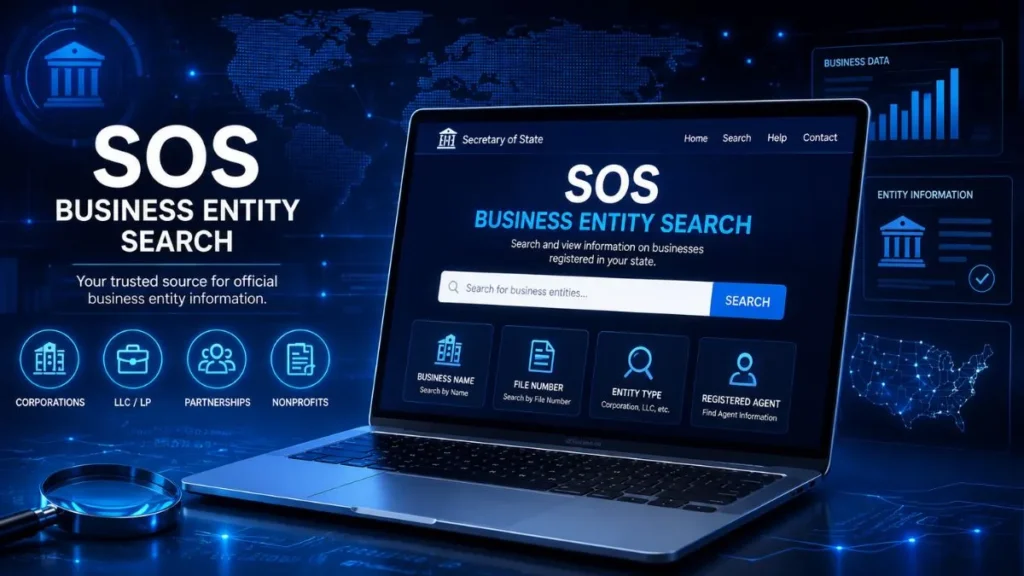
OH SOS business entity search refers to looking up a company’s registration record through the Ohio Secretary of State’s business database. The Secretary of State’s office is the government body responsible for keeping official records of businesses formed or registered to operate in Ohio corporations, LLCs, partnerships, and nonprofits alike.
When people say “OH SOS,” they’re simply using shorthand for “Ohio Secretary of State.” The search tool tied to that office lets anyone pull up basic facts about a registered entity without needing an account or paying a fee.
It’s worth understanding the difference between a business lookup and business registration. A lookup is a read-only check you’re viewing information that already exists in the state’s system. Registration, on the other hand, is the act of filing paperwork to create or update a business entity. The search tool only handles the former.
AEO Quick Answer: OH SOS Business Entity Search is a way to look up business entities registered with the Ohio Secretary of State and review the business record information that’s publicly available.
What Information Can You Find in an Ohio Business Search?
A typical Ohio entity record includes a mix of the following, depending on the business and how current its filings are:
- The registered business or entity name
- A unique entity number assigned by the state
- Current business status (active, inactive, cancelled, etc.)
- Entity type LLC, corporation, nonprofit, partnership, and so on
- Filing or registration dates
- Formation date, when it’s on record
- Registered agent details, where publicly listed
- Copies or summaries of filed documents, when accessible
Not every field will be filled in for every business. Older entities or ones with minimal filing history sometimes show sparse records, so don’t be alarmed if a result looks thinner than expected.
How to Use OH SOS Business Entity Search
Searching doesn’t require any special login or technical know-how. Here’s the general flow:
Step 1: Open the Ohio Business Search
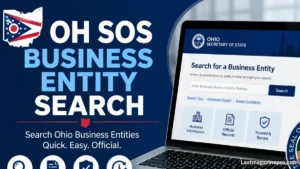
Start at the Ohio Secretary of State’s business search page. This is the state’s official portal for entity records, so it’s the most reliable starting point.
Step 2: Enter the Business Name
Type in the company name as accurately as you can. If you’re not sure of the exact spelling or wording, don’t worry — the next steps cover how to handle that.
Step 3: Review Search Results
The system will return a list of possible matches. Scan through the entity names, types, and statuses to find the one that fits what you’re looking for.
Step 4: Open the Business Record
Click into the result to see the full record, including whatever details the state has on file.
Step 5: Verify the Details
Before relying on anything you find, cross-check the key facts name, status, entity number against the official record one more time. Business information changes, and it’s always safer to confirm rather than assume.
How to Search for an Ohio Business by Name
Name searches are the most common way people use this tool, but they don’t always work perfectly on the first try. A few tips:
- Exact-name searches work best when you already know the legal business name.
- Partial-name searches are useful if you only remember part of the name or aren’t sure of the exact wording.
- Try alternative spellings businesses sometimes register names differently than how they’re commonly written or advertised.
- Drop unnecessary punctuation. Commas, periods, and ampersands can sometimes throw off a match.
- Check for similar names. Ohio has thousands of registered entities, and near-identical names aren’t unusual.
If you’re searching from outside Ohio or comparing it to other states’ systems, it helps to think in terms of an Ohio business search or Ohio Secretary of State business search rather than a generic nationwide lookup the terminology and record format are specific to Ohio’s system.
How to Search by Ohio Entity Number
Every registered business in Ohio is assigned a unique entity number when it’s formed. This number stays with the business for its entire existence, even if the name changes later.
Searching by entity number is more precise than searching by name because:
- It eliminates confusion between similarly named businesses.
- It pulls up the exact record you’re after, with no guesswork.
- It’s especially useful if you already have the number from a contract, invoice, or prior filing.
If you have access to a company’s entity number, use it it’s the fastest route to an accurate result.
How to Check an Ohio Business Status
Once you’re on a business record, one of the most important fields to look at is its current status. Common statuses you might see include:
- Active: the business is currently in good standing and operating under its registration.
- Inactive: the entity exists in the records but isn’t currently active.
- Cancelled or dissolved: the business has been formally closed or its registration terminated.
Status matters because it tells you whether a company is actually authorized to operate in Ohio right now, not just whether it was registered at some point. Always check the most recently available record rather than relying on older information you might have seen elsewhere.
How to Verify an Ohio Business
If you’re doing due diligence maybe before signing a contract, forming a partnership, or making a purchase — run through this quick checklist:
- Confirm the legal business name matches exactly.
- Check the entity number against any paperwork you already have.
- Review the current business status.
- Compare the registration date and details to what the business has told you.
- Look at available filings for anything that seems inconsistent.
- Confirm everything against the official state record rather than a third-party listing.
This kind of verification takes just a few minutes but can save you from dealing with an inactive or misrepresented business down the line.
Common Reasons to Use OH SOS Business Entity Search
1. For Business Owners Owners often use the search to verify their own registration is accurate, check on their business’s current status, or research similar names before rebranding.
2. For Entrepreneurs If you’re starting a new business, checking existing entities helps you avoid naming conflicts and gives you a sense of what’s already registered in your industry within Ohio.
3. For Consumers and Researchers Anyone can use the tool to confirm whether a business they’re dealing with is actually registered, or to pull basic public information for research purposes.
OH SOS Business Entity Search vs. Other Business Searches
| Search Type | Main Purpose |
|---|---|
| OH SOS Business Entity Search | Ohio-specific business entity records |
| Business Name Search | Finding entities by name, often within one state |
| Entity Number Search | Pulling up a specific, known entity |
| National Business Search | Broader research across multiple states |
If your search is Ohio-specific, staying within the OH SOS system will almost always give you more accurate, up-to-date results than a general nationwide tool.
Common Problems When Searching Ohio Business Records
A few issues come up again and again:
- No results found: usually a spelling issue or the business is registered under a different name.
- Too many matching businesses: common with generic or popular business names.
- Incorrect spelling: even one letter off can change the results.
- Business name changed: the entity might be listed under a former or updated name.
- Similar entity names: easy to click the wrong one if you’re not paying close attention.
- Inactive or dissolved business: the entity may no longer be operating, even if you expected it to show as active.
- Information that needs further verification: some details may be incomplete or outdated.
Quick Solution: If a search comes up empty, try the entity number instead of the name, shorten the name to its core words, or test a couple of spelling variations.
Frequently Asked Questions
Q1: What is OH SOS Business Entity Search?
It’s the process of looking up a company’s registration record through the Ohio Secretary of State’s official business database.
Q2: How do I search for a business in Ohio?
Go to the Ohio Secretary of State’s business search tool, enter the business name or entity number, and review the matching results.
Q3: Can I search an Ohio business by name?
Yes. You can search by full or partial name, and it’s the most common way people look up businesses.
Q4: Can I search an Ohio business by entity number?
Yes, and it’s actually the more precise option if you already have the number, since it points directly to one specific record.
Q5: How can I check if an Ohio business is active?
Open the business’s record and check the status field, which will show whether it’s active, inactive, or cancelled.
Q6: Is Ohio business entity information public?
Much of the basic registration information is publicly accessible, though the amount of detail available can vary depending on the type of record and filing.
Q7: Why can’t I find a business in the search?
The most common causes are spelling differences, a name change, or the business being registered under a slightly different legal name than expected. Try an entity number or a shortened search term instead.
Tips for a More Accurate Ohio Business Search
- Use the exact legal business name whenever you have it.
- Skip commas, periods, and other punctuation in your search.
- Try partial names if a full search doesn’t return anything.
- Use the entity number when you have access to it it’s the most reliable identifier.
- Always check the current status, not just whether the business shows up.
- Cross-check important details against the latest official record before making decisions.
Conclusion
OH SOS Business Entity Search gives anyone business owners, entrepreneurs, or everyday consumers a straightforward way to look up Ohio business records directly from the Secretary of State’s system. Whether you search by name or by entity number, the process boils down to the same few steps: search, review, open the record, and verify.
The key habit worth building is double-checking status and details against the most current record rather than assuming older information still holds true. Businesses change status, names, and filings over time, and a quick OH SOS business entity search is the easiest way to stay accurate.
Read More Informative Articles:
- Michigan LARA Business Entity Search: 5 Easy Ways to Find a Business
- IL Secretary of State Business Search: 7 Easy & Powerful Ways
- Illinois LLC Search: 5 Easy Steps to Verify Any Business (2026 Guide)
- IL Business Search: Easy, Fast & Complete Guide 2026

Sobia is an SEO Expert and Content Writer specializing in keyword research, SEO optimization, and engaging content that improves search rankings, drives organic traffic, and enhances online visibility.