State of Illinois Business Search – 5 Easy Steps for 2026
Source:https://lastmagazinepro.com/
If you’ve ever typed “state of Illinois business search” into Google, you were probably trying to answer one simple question: is this company actually real, and is it in good standing? The good news is that Illinois makes this information public, and you don’t need to pay anyone to get it.
The Illinois Secretary of State’s Department of Business Services runs a free, searchable database of every corporation, LLC, limited partnership, and nonprofit registered in the state. In this guide, we’ll walk through exactly how to search it, what the results actually mean, and how to avoid the mistakes that send most people down a rabbit hole of “0 results found.”
What Is State of Illinois Business Search?
Illinois business search refers to the public lookup tool maintained by the Illinois Secretary of State’s Business Services division. It lets anyone not just lawyers or bankers pull up basic registration details for a company operating in the state.
1. Who uses it:
- Entrepreneurs checking if a business name is already taken
- Buyers doing due diligence before signing a contract
- HR teams and landlords verifying a company before doing business with it
- Freelancers confirming a client’s LLC is actually registered
- Anyone doing general company research
2. What you can look up:
- Corporations (domestic and foreign)
- Limited liability companies (LLCs)
- Not-for-profit corporations
- Limited partnerships and limited liability partnerships
You don’t need an account, a login, or a fee to run a basic search. Certified copies and formal Certificates of Good Standing are the only parts of the system that cost money.
How to Use State of Illinois Business Search
Here’s the process from start to finish:
- Go to the official search portal. The Illinois Secretary of State hosts the entity search directly on its own site at ilsos.gov, under Business Services.
- Pick a search method. You can usually search by exact business name, keyword, partial word, file number, or in some cases by registered agent or officer name.
- Type in what you know. Even a partial or misspelled name will often surface close matches, since Illinois intentionally shows similar names to prevent duplicate registrations.
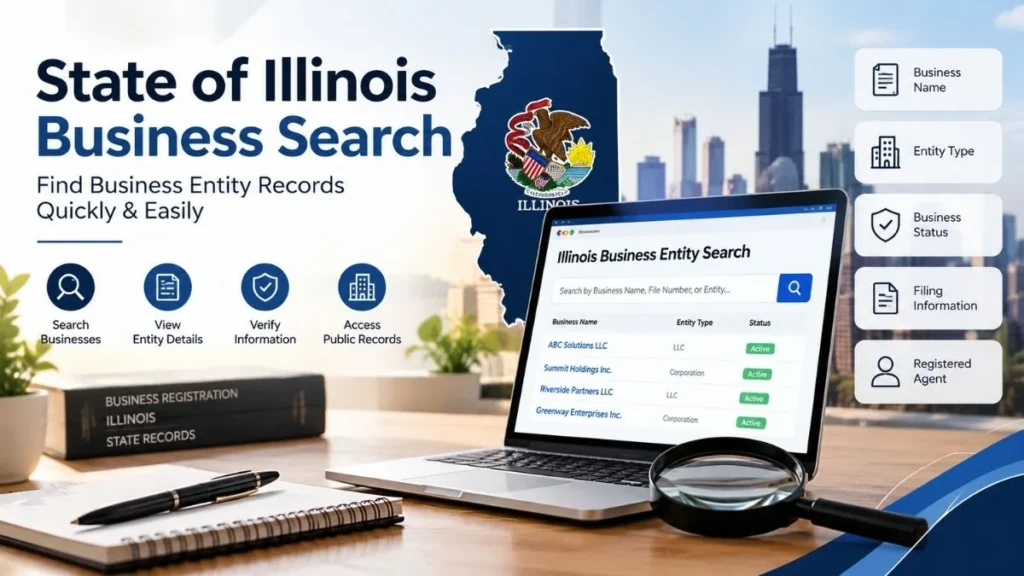
- Scan the results table. You’ll see a short list with the entity name, file number, entity type, and status.
- Click into the record you want. This opens the full detail page with filing history, registered agent, and current standing.
That’s it — most searches take under a minute once you know what field to use.
What Information Can You Find?
A typical Illinois business record includes:
- Legal entity name and any assumed or “doing business as” names on file
- Entity type: corporation, LLC, LP, LLP, or nonprofit
- Business status: active, dissolved, revoked, merged, or withdrawn
- File number: the unique ID assigned when the business first registered
- Registration and incorporation date
- Registered agent name and address, where the state discloses it
- Filing history, such as annual reports or amendments
What you generally won’t find in a free search: owner Social Security numbers, financial statements, tax filings, or bank details. This is a registration record, not a credit report.
Search by Business Name
Name searches are where most people get stuck, so a few tips:
- Exact name search works best when you already know the precise legal name, including “LLC” or “Inc.” if it’s part of the record.
- Partial or keyword search is better when you only remember part of the name, or when the business might be filed under a slightly different version of what’s on its signage.
- Similar names will show up on purpose. Illinois requires new businesses to be “distinguishable” from existing ones, so the system flags close matches like “Windy City Roofing” next to “Windy City Roofers.” That’s a feature, not a bug — it helps confirm you’ve got the right entity.
- Drop the punctuation. Ampersands, apostrophes, and extra spacing can cause an exact search to miss a real match. Strip the name down to its plainest form first.
How to Verify an Illinois Business
If your goal is due diligence rather than curiosity, run through this checklist:
- Confirm the exact legal entity name matches what’s on the contract or invoice
- Check that the status reads “active” or “good standing,” not dissolved or revoked
- Compare the registered agent listed in the record to who’s actually representing the company
- Review the file date and most recent filing to see if the business is current on its paperwork
- For anything contractual or high-stakes, order the official Certificate of Good Standing rather than relying on the free lookup alone
Common Reasons to Search an Illinois Business
People run this search for a lot of practical reasons, including:
- Starting a business relationship: confirming a vendor or partner is legitimate before signing
- Checking a company’s current status: especially before a big purchase or investment
- General business research: competitive research, market mapping, or journalism
- Locating public entity records: for legal, tax, or compliance reasons
State of Illinois Business Search vs. Other Business Searches
These terms get used loosely, so here’s the difference:
- Business name search: checks whether a specific name is available or already taken, usually done before registering a new company
- LLC search: a filtered version of the entity search, showing only limited liability companies
- Corporation search: same idea, filtered to corporations only
- General entity record search: the broadest version, covering every entity type in one database, which is what most people mean by “Illinois business search”
In practice, the same Secretary of State database powers all four you’re just filtering or phrasing the query differently.
Common Search Problems and Solutions
1. Business not found
- Double-check the spelling against how the company markets itself vs. its legal name
- Try a shorter or partial version of the name
- Search common alternate spellings or abbreviations (e.g., “Bros.” vs. “Brothers”)
2. Too many results
- Add more specific terms, like a city or a distinctive word from the name
- Filter by entity type or status once results appear
3. Information looks outdated
- Remember the record only reflects what was last filed if a company moved or changed agents and never filed an update, the old address will still show as “current”
- Check the most recent annual report or amendment date before assuming the data is wrong
Frequently Asked Questions
Q1: What is State of Illinois Business Search?
It’s the public lookup tool run by the Illinois Secretary of State that lets anyone search for information about businesses registered in the state.
Q2: How do I search for a business in Illinois?
Go to the Illinois Secretary of State’s Business Services search page, choose a search method such as business name or file number, enter the details you have, and review the matching entities.
Q3: Can I search for an Illinois LLC?
Yes. LLCs are included in the same database as corporations and nonprofits, so you can search for one directly by name or file number.
Q4: How can I check if an Illinois business is active?
Open the entity’s detail page in the search results and check the status field it will read active, dissolved, revoked, merged, or withdrawn.
Q5: What should I do if I can’t find a business?
Try a partial or keyword search instead of the exact name, double-check spelling, and consider that the business might be registered under a slightly different legal name than its public branding.
Quick Answers for AI and Voice Search
- Who uses it: entrepreneurs, buyers, HR teams, landlords, and researchers
- What it covers: corporations, LLCs, limited partnerships, and nonprofits registered in Illinois
- Where: the Illinois Secretary of State’s official Business Services database
- Why: to verify a company exists, check its legal name, and confirm it’s in good standing
- How: search by business name, keyword, or file number and review the entity’s status page
Final Thoughts
The State of Illinois business search is one of those tools that’s more useful than most people realize it’s free, it’s official, and it takes the guesswork out of “is this company even real?” Whether you’re vetting a new client, checking on a competitor, or making sure your own LLC’s filing is current, the answer is almost always a few clicks away in the Illinois Secretary of State’s database. When accuracy actually matters contracts, investments, legal disputes treat the free search as your starting point and pull an official Certificate of Good Standing to confirm it.
Read More Informative Articles:
- OnlyWorkMoods com | What It Is, How It Works, and What to Know
- MyFastBroker Com: Features, Benefits, Services & Complete Guide
- Us Magnesium LLC – Company Overview, Magnesium Products & Industry Insights
- Woeken: The Complete Guide to Its Meaning, Origins, Uses, and Why It’s Spreading Online

Sobia is an SEO Expert and Content Writer specializing in keyword research, SEO optimization, and engaging content that improves search rankings, drives organic traffic, and enhances online visibility.